 1 / 5
1 / 5About this app
Introduction
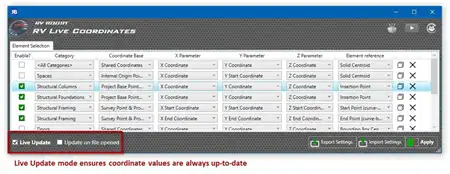
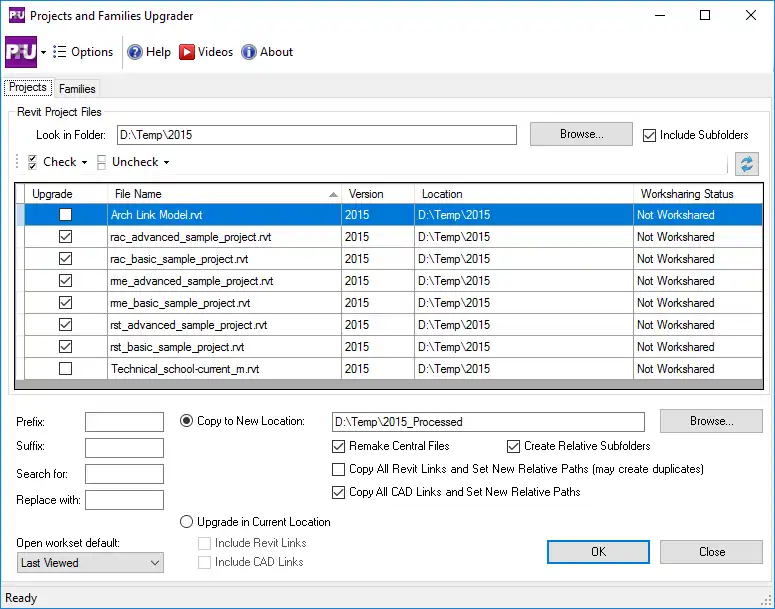
Revit users, are you looking for a way to streamline your workflows and increase efficiency in your projects? Look no further than CTC BIM Batch Suite 2027. This powerful plugin provides a range of tools to help you process tasks en masse, with a focus on importing and exporting data. Whether you need to export specific families, load multiple families into projects, or schedule exports to occur automatically, BIM Batch Suite has you covered.
(Image by: CTC Software)
Features
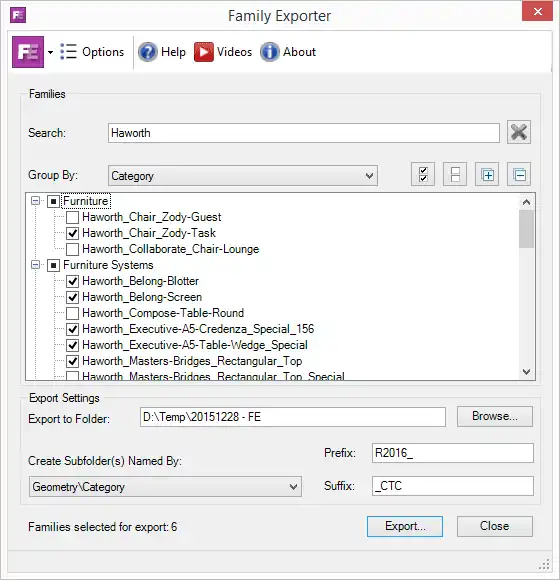
One of the standout features of CTC BIM Batch Suite is the Family Exporter tool. This tool allows users to easily select specific families to export from projects, automatically create a folder structure based on family categories and geometry, and add customized text to exported family names. This can save you valuable time and ensure that your exported families are organized in a logical manner.
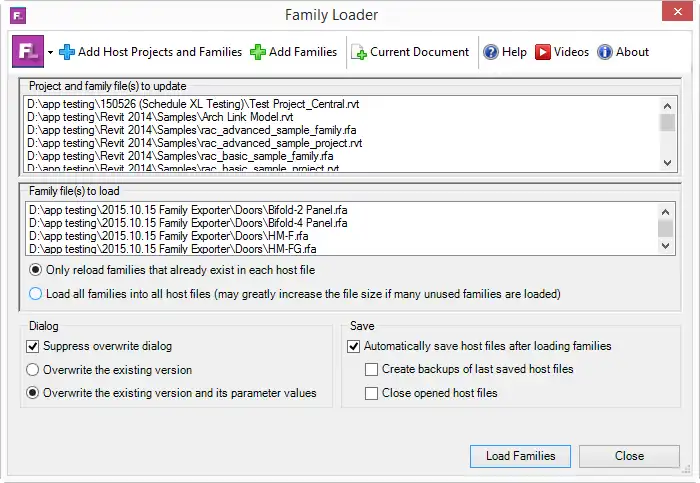
Another valuable tool included in the suite is the Family Loader. This tool enables users to select multiple families to load or nest into multiple projects or families, reload only those families into an existing project, and provides the option to overwrite existing parameter values. This can be a huge time-saver when working with complex projects that require the use of multiple families.
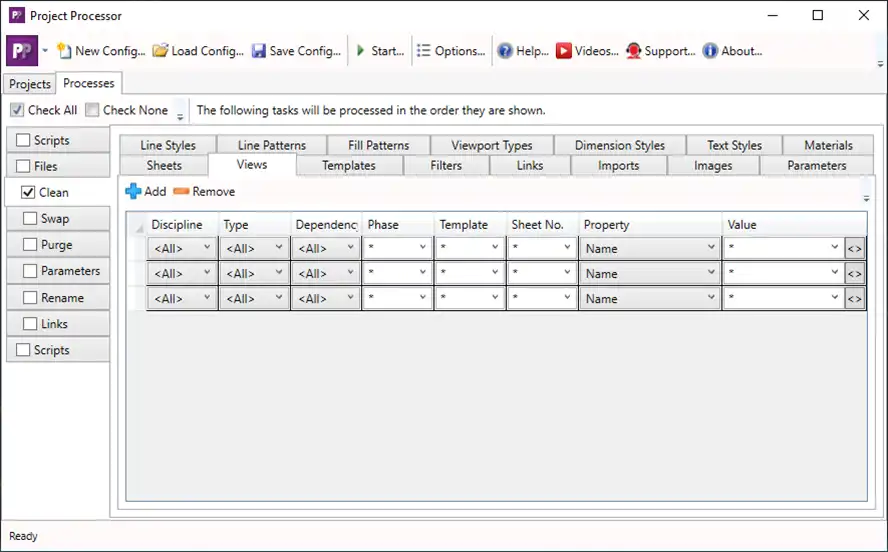
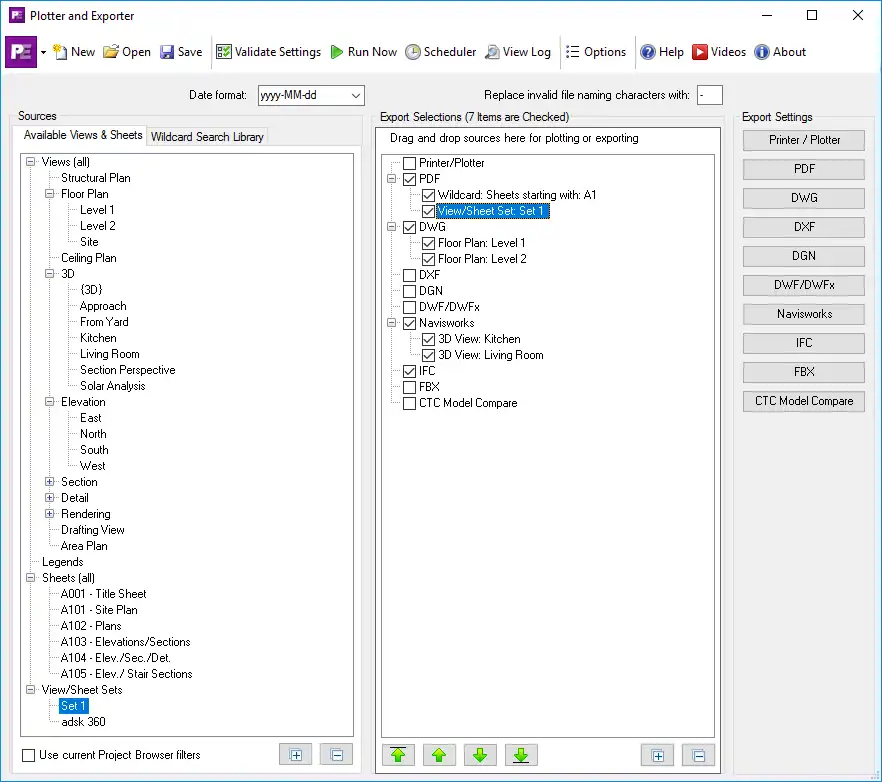
For those looking to streamline their plotting and exporting processes, the Plotter and Exporter tool is a game-changer. This tool provides an intuitive and easy-to-learn interface that allows users to create and schedule jobs for export or plotting, schedule exports to occur automatically, specify individual sheets and/or views to export, or dynamically search for views or sheets. With the ability to export to a variety of file formats, including PDF, DWG, DXF, DGN, DWF, DWFx, FBX, Navisworks, and IFC files, this tool gives users plenty of flexibility in how they manage their project data.
(Image by: CTC Software)
Benefits
CTC BIM Batch Suite 2027 offers a range of benefits for Revit users. By allowing users to process tasks en masse, the suite helps to improve efficiency and productivity in project workflows. The ability to easily export and load families, as well as schedule exports, can save users valuable time and reduce the risk of errors in their projects. Additionally, the intuitive interface of the tools makes them easy to learn and use, even for users with limited experience with Revit plugins.
With the Family Exporter tool, users can quickly and easily organize their exported families, ensuring that their project data is well-structured and easy to manage. The Family Loader tool simplifies the process of loading families into projects, saving users time and effort when working with multiple families. Finally, the Plotter and Exporter tool streamlines the exporting and plotting process, making it easy for users to create and schedule export jobs and specify individual sheets and views for export.
(Image by: CTC Software)
Summary
Overall, CTC BIM Batch Suite 2027 is a must-have plugin for Revit users looking to improve their workflows and increase efficiency in their projects. With a range of tools designed to streamline the importing and exporting of data, this suite offers valuable benefits for users of all experience levels. Whether you need to export specific families, load multiple families into projects, or schedule exports to occur automatically, BIM Batch Suite has the tools you need to enhance your Revit workflow. Give it a try today and see the difference it can make in your projects!
(Image by: CTC Software)
(Image by: CTC Software)
Similar apps:
- Free
- Free
- Free
- Free
- Free
- Free