 1 / 4
1 / 4About this app
Renaming elements in Autodesk® Revit® models can be a time-consuming and tedious task, especially when dealing with large projects with numerous elements. FORMlab Renamer Revit Add-in offers a solution to this problem by providing a simple and efficient way to batch rename entire element categories in your model with just a few clicks.
The Benefits of Using Renamer
Instead of manually renaming elements one by one, Renamer allows you to use a find-and-replace tool to update multiple elements at once. Whether you need to fix naming inconsistencies, standardize conventions, or update terminology across your project, the bulk renaming functionality of Renamer helps you get the job done faster and more accurately.
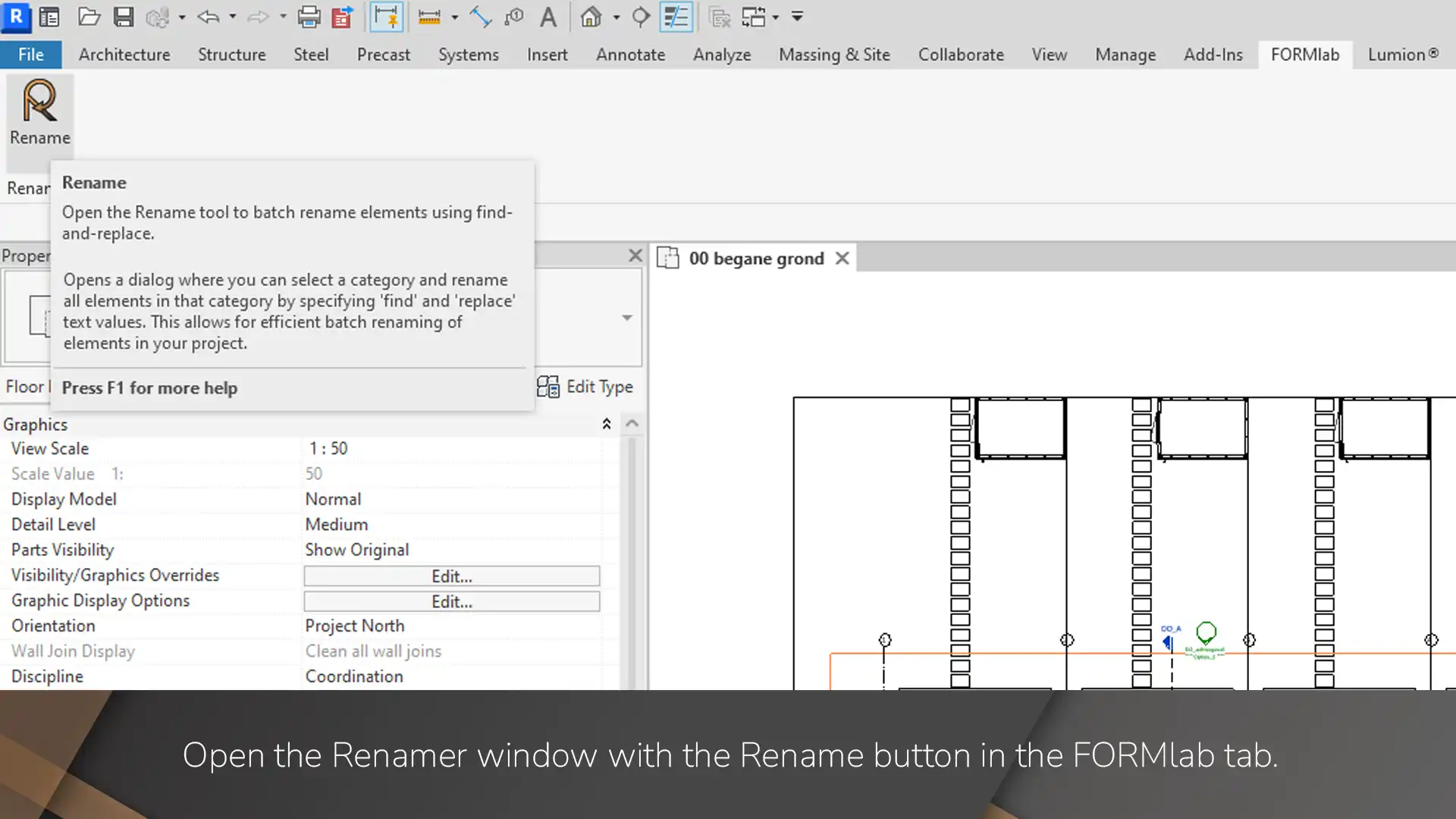
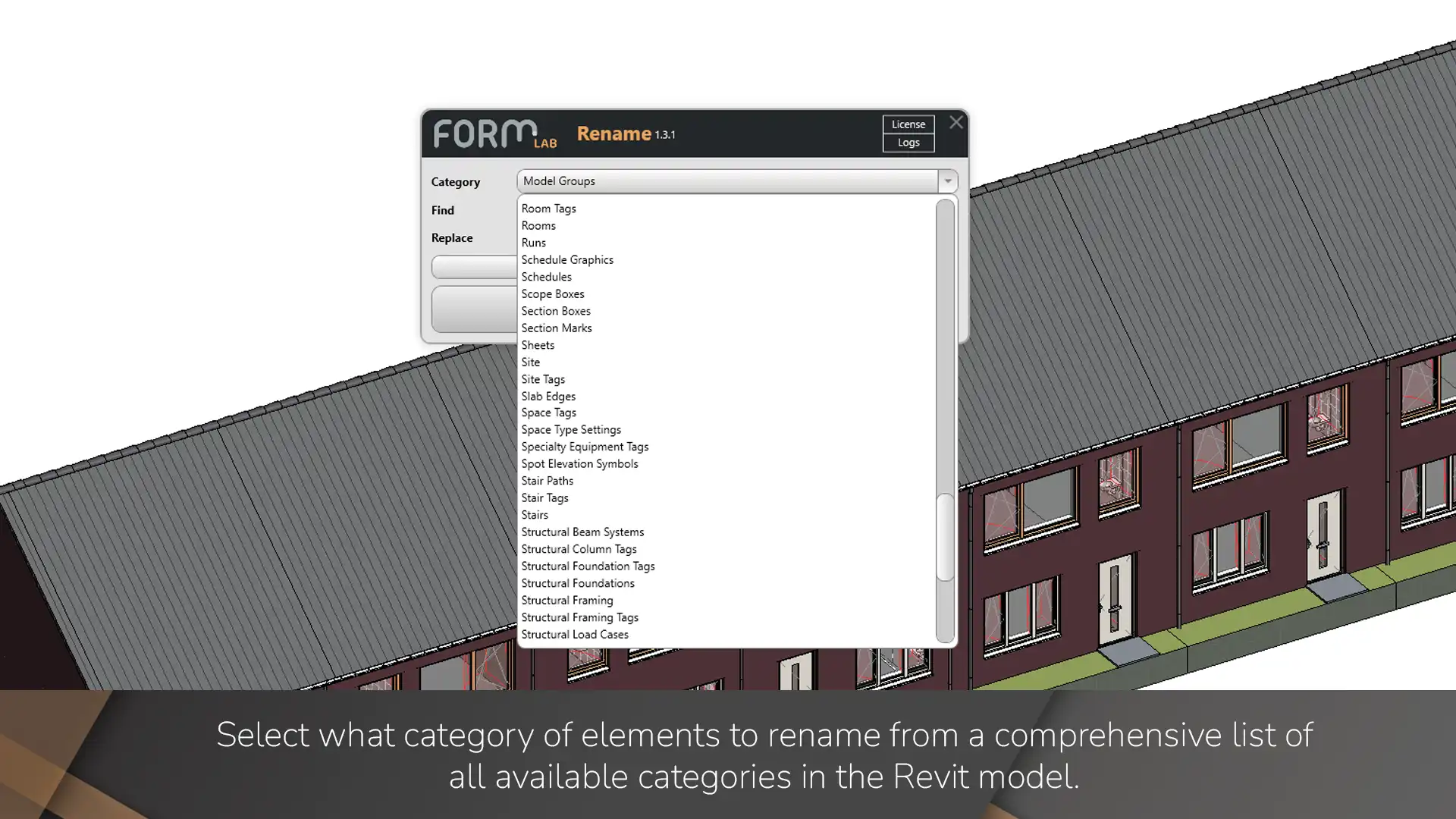
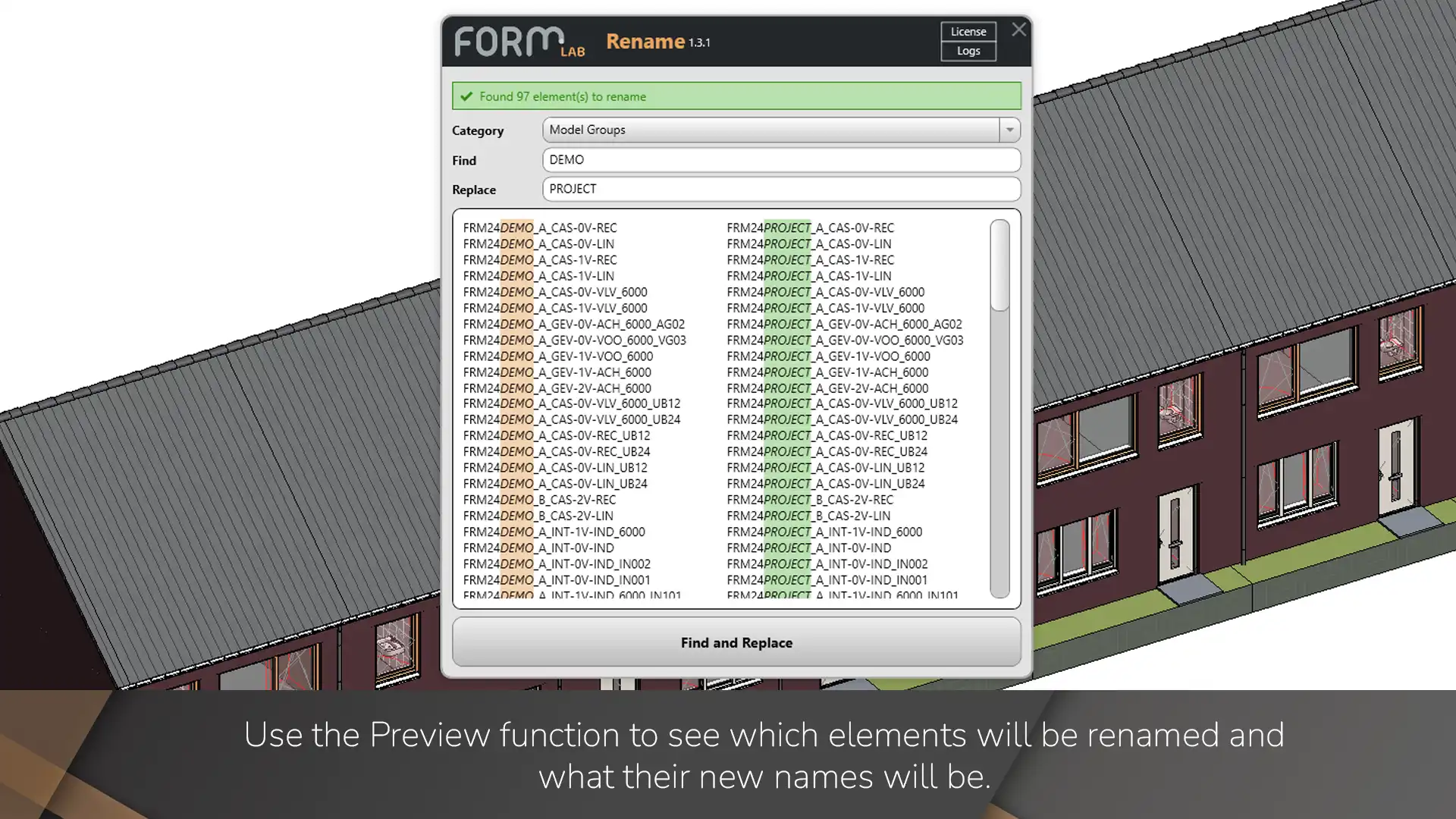
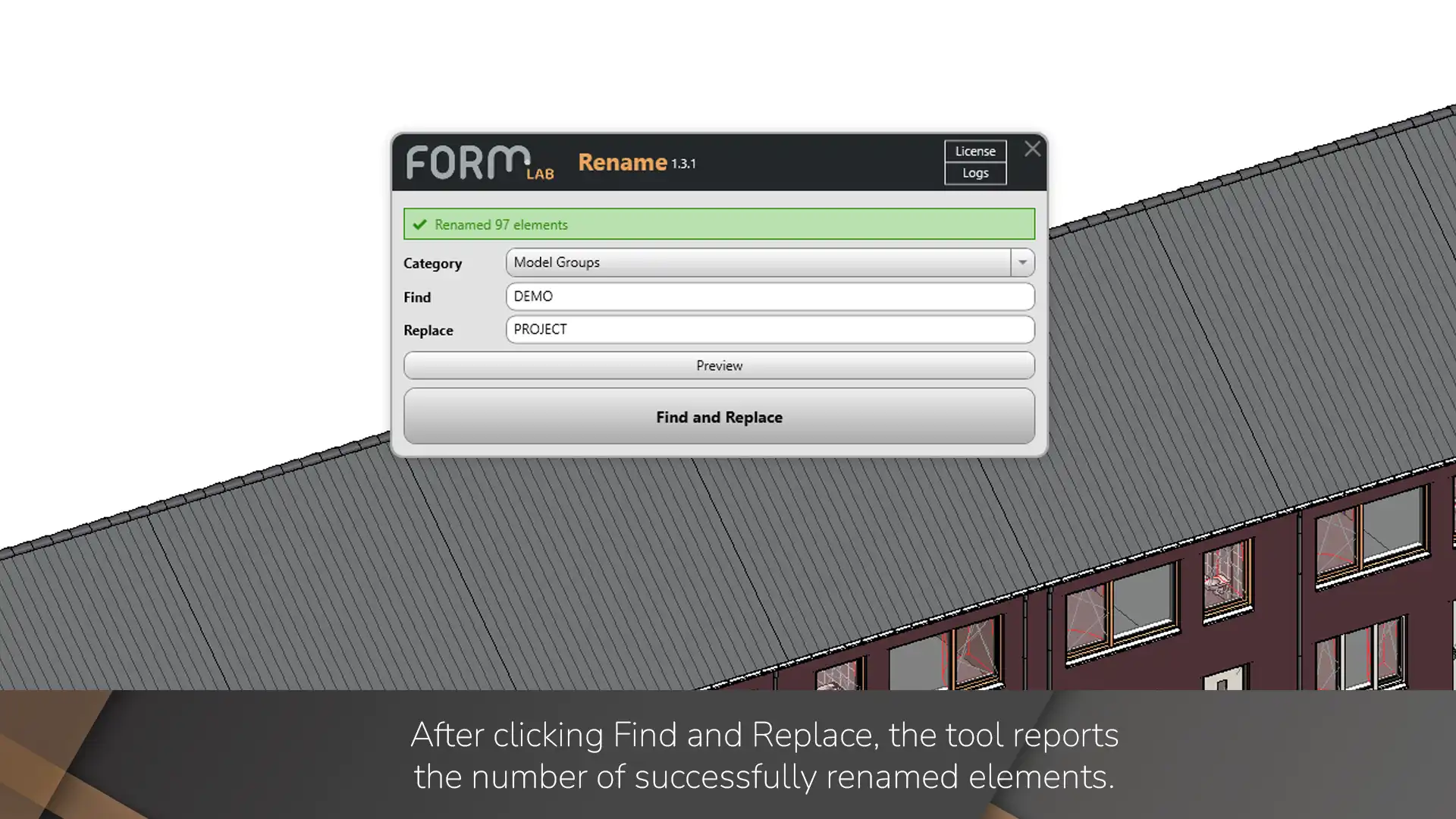
The workflow of Renamer is straightforward - simply select an element category from the dropdown menu, enter the text you want to find, and optionally specify what to replace it with. You can also choose to leave the replace field empty if you want to remove the found text from element names. Before making any changes to your model, you can use the Preview button to see exactly which elements will be affected and how their names will change. This preview feature is invaluable in helping you avoid mistakes and ensuring that you get the results you expect.
Renamer works with a wide range of Revit element categories, making it useful for various naming tasks throughout your project lifecycle. From views and sheets to walls and ceilings, you can quickly standardize naming across different element types without the repetitive work of manual editing.
(Image by: FORMlab)
Key Features of Renamer
Renamer offers a range of key features that make it a valuable addition to any Revit user's toolkit:
- Select element categories from a comprehensive dropdown menu
- Find and replace text patterns in element names
- Preview all changes before applying them with highlighted comparisons
- Apply changes across your model with a single click
These features make Renamer a versatile and powerful tool for efficiently managing element naming in your Revit models.
(Image by: FORMlab)
Custom Revit Add-ins
If you have specific requirements for a custom Revit add-in to streamline your workflow, FORMlab also offers custom development services. Whether you need automation, enhanced modeling tools, or specialized functionality, FORMlab can help tailor a solution to fit your unique needs. Get in touch with FORMlab at formlab@form.nl to discuss your requirements and explore the possibilities of custom add-ins for your Revit projects.
(Image by: FORMlab)
Conclusion
Overall, FORMlab Renamer Revit Add-in is a valuable tool for simplifying the process of renaming elements in Autodesk® Revit® models. Its batch renaming functionality, preview feature, and wide range of supported element categories make it a versatile and efficient solution for managing naming tasks in Revit projects. If you're looking to save time and improve consistency in your Revit models, give Renamer a try and see how it can enhance your workflow.
(Image by: FORMlab)
Similar apps:
- Free
- Free
- Free
- $15/month
- $20
- Free