 1 / 13
About this app
Introduction
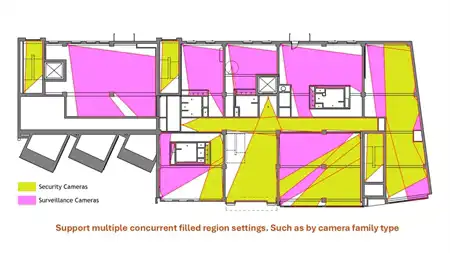
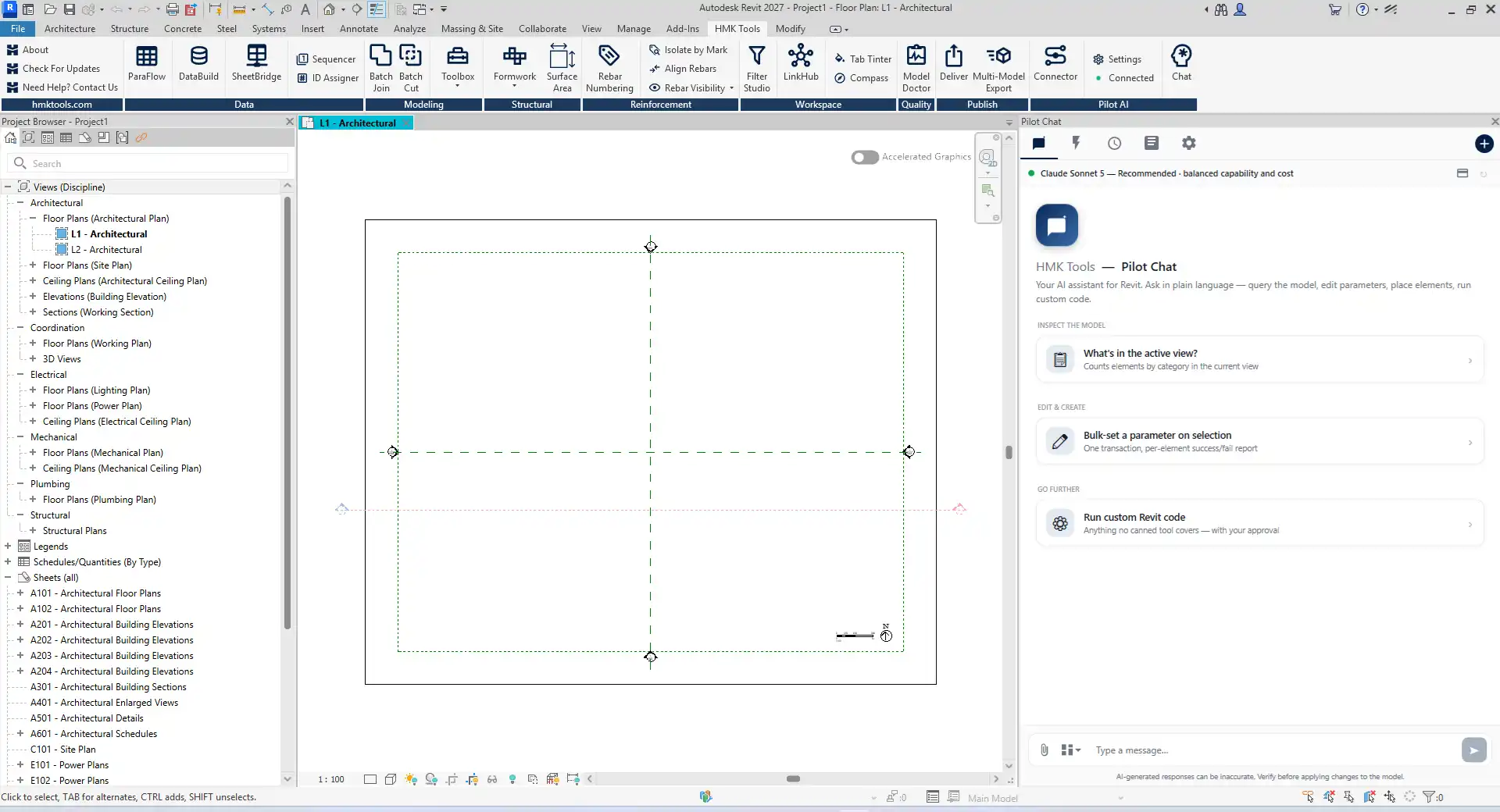
In the ever-evolving landscape of architectural design and Building Information Modeling (BIM), efficiency and productivity are paramount. The HMK Tools for Autodesk® Revit® has emerged as a game-changing plugin that significantly enhances the user experience by streamlining workflows and reducing the mundane tasks often associated with Revit projects. This comprehensive productivity suite comprises over 25 add-ins and an innovative AI assistant, all conveniently located within a single ribbon tab. In this review, we will explore the various features of HMK Tools and how they can transform your Revit experience, allowing you to focus on creativity and design rather than repetitive tasks.
(Image by: HMK Tools)
Parameter Automation: Simplifying Data Management
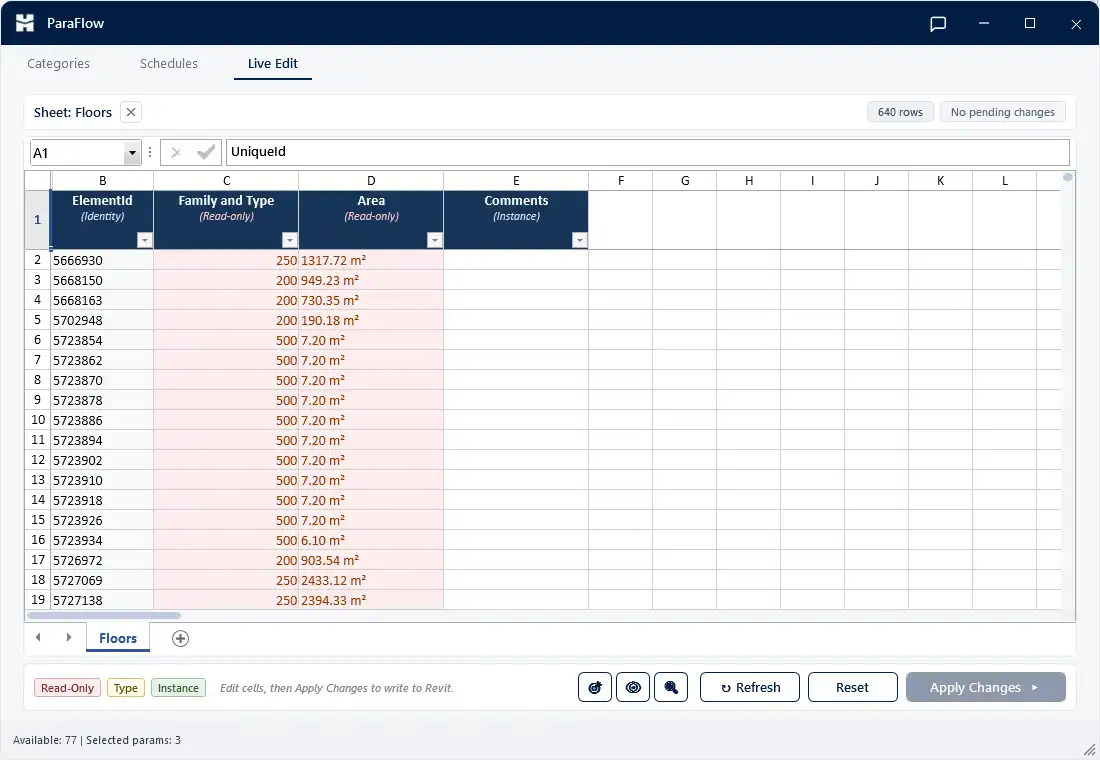
One of the standout features of HMK Tools is its robust parameter automation capabilities. The ParaFlow add-in allows users to export element parameters directly to Excel, offering a familiar spreadsheet interface for bulk editing. This functionality not only saves time but also minimizes the risk of errors that can occur during manual data entry. Once edits are made, users can easily write the changes back into the Revit model, ensuring that all adjustments are reflected in real-time.
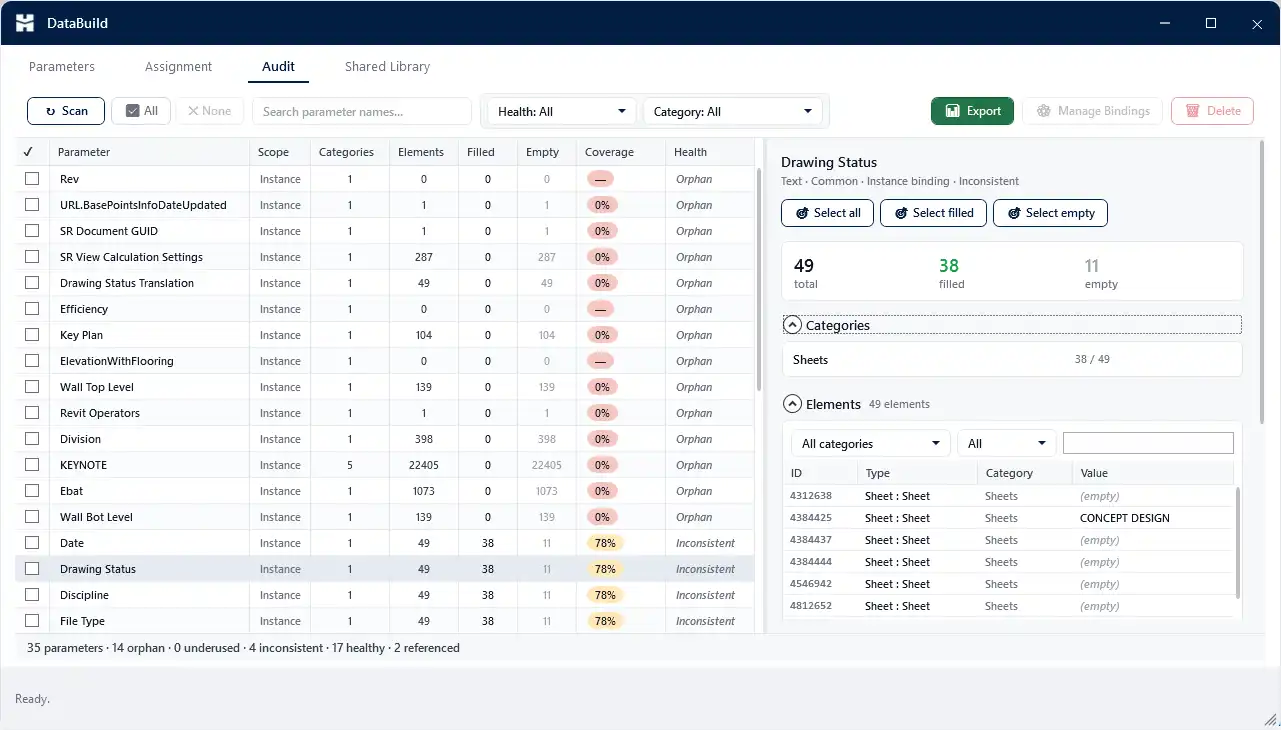
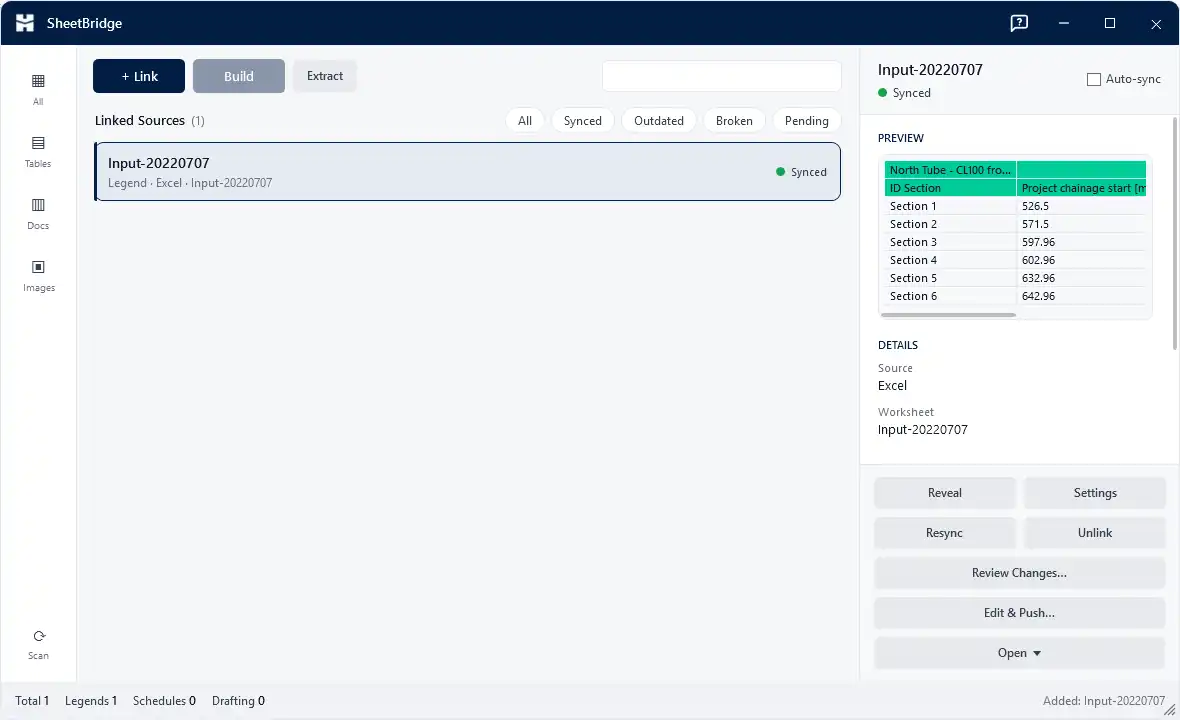
In addition to ParaFlow, DataBuild enhances parameter management further by allowing users to create, edit, and bind project and shared parameters from a single workspace. This centralized approach simplifies the organization of project data, making it easier to manage complex projects with numerous parameters. SheetBridge is another invaluable tool that bridges the gap between Revit and external documents. It enables users to bring content from Excel, CSV, Word, and PDF files into Revit views, while also supporting the round-trip export of schedules back to Excel. This feature streamlines the process of documentation and ensures that all project stakeholders have access to the most up-to-date information.
(Image by: HMK Tools)
Model Quality: Ensure Your Designs Are Flawless
Model integrity is critical in architectural projects, and HMK Tools places a strong emphasis on maintaining high-quality models. The Model Doctor add-in performs a comprehensive health scan of your Revit project, evaluating it across thirteen different checks. From identifying unused elements and duplicate types to diagnosing issues with unplaced rooms and views, Model Doctor provides a clear 0-100 score that indicates the overall health of your model.
What sets Model Doctor apart is its user-friendly approach. It offers a one-click fix for safe findings, along with a preview feature and a full undo option. This means that users can confidently clean up their models without the fear of making irreversible mistakes. By proactively addressing potential issues, HMK Tools ensures that your design is not only visually appealing but also structurally sound and ready for delivery.
(Image by: HMK Tools)
Documentation and Delivery: Streamlining Output Processes
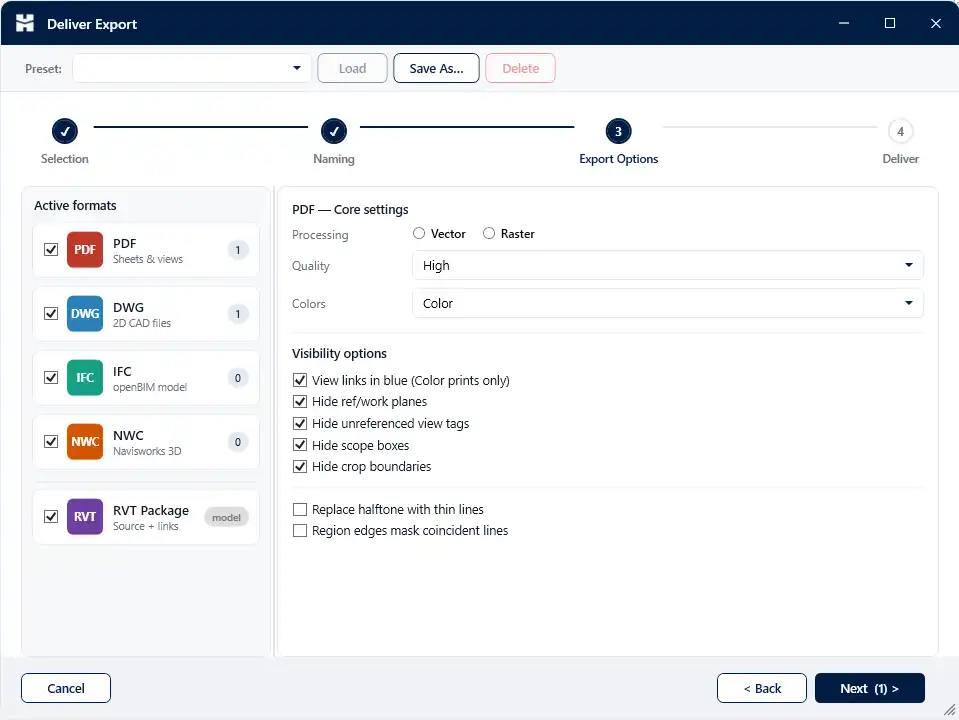
The documentation and delivery process can often be a bottleneck in architectural projects, but HMK Tools transforms this experience with its batch-export capabilities. Users can easily deliver PDF, DWG, IFC, and NWC files with saved presets and naming tokens, significantly reducing the time spent on the export process. The added QA log helps track changes and ensure accuracy while delivering multiple files at once.
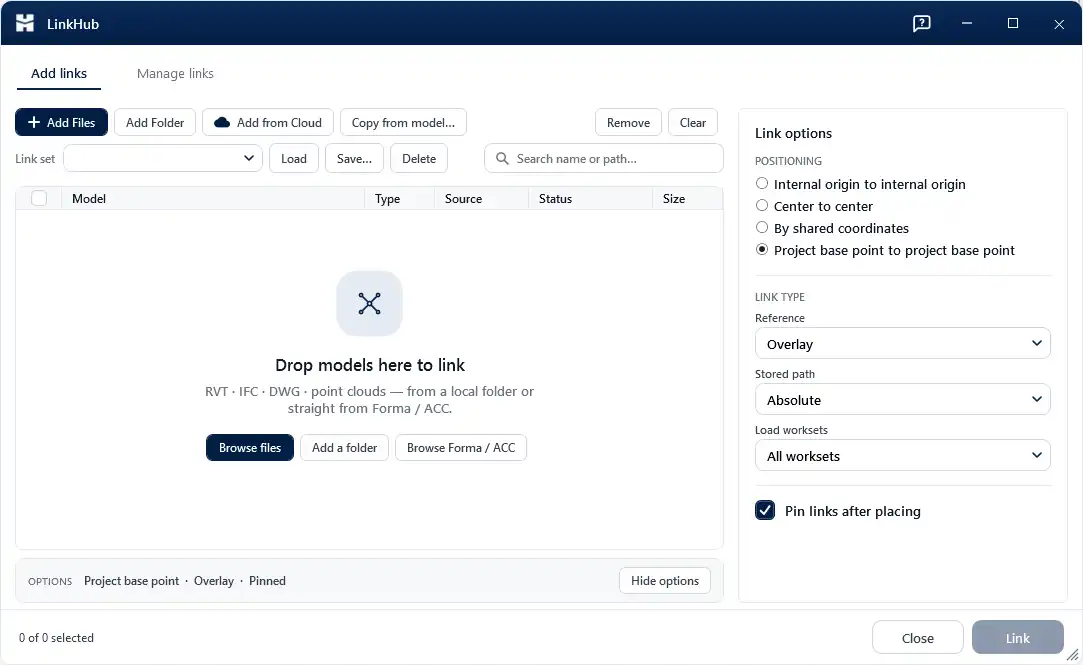
Multi-Model Export is another remarkable feature that allows users to produce IFC and NWC formats from several Revit files simultaneously without the need to open each file. This functionality is particularly beneficial for large projects with multiple models, saving hours of manual labor. Furthermore, LinkHub simplifies the process of linking various models—Revit, IFC, CAD, and point-cloud models—directly from local folders and cloud services like Forma/ACC, making collaboration seamless and efficient.
(Image by: HMK Tools)
Modeling, Structural, and Reinforcement Tools: Enhance Your Design Process
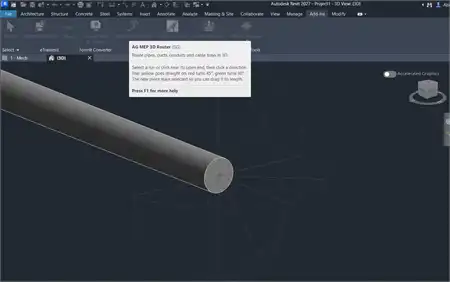
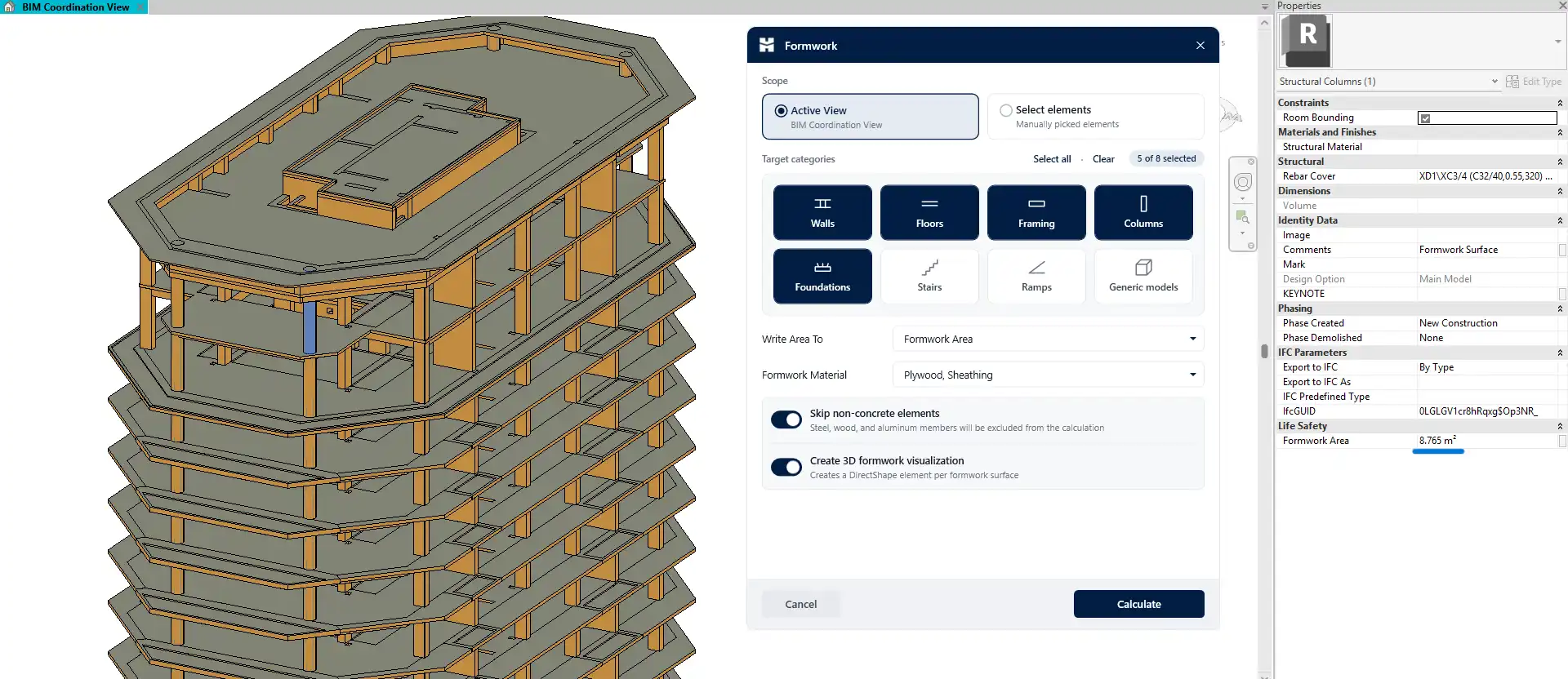
HMK Tools also excels in modeling, structural design, and reinforcement tasks, offering a variety of specialized tools that cater to these needs. Features like Batch Join/Cut, Smart Place, and Instant Clash help users navigate complex models without getting bogged down by tedious tasks. The Wall Cutter and Column Swap tools provide intuitive solutions for making design adjustments on the fly, while Region Builder helps define formwork areas with ease.
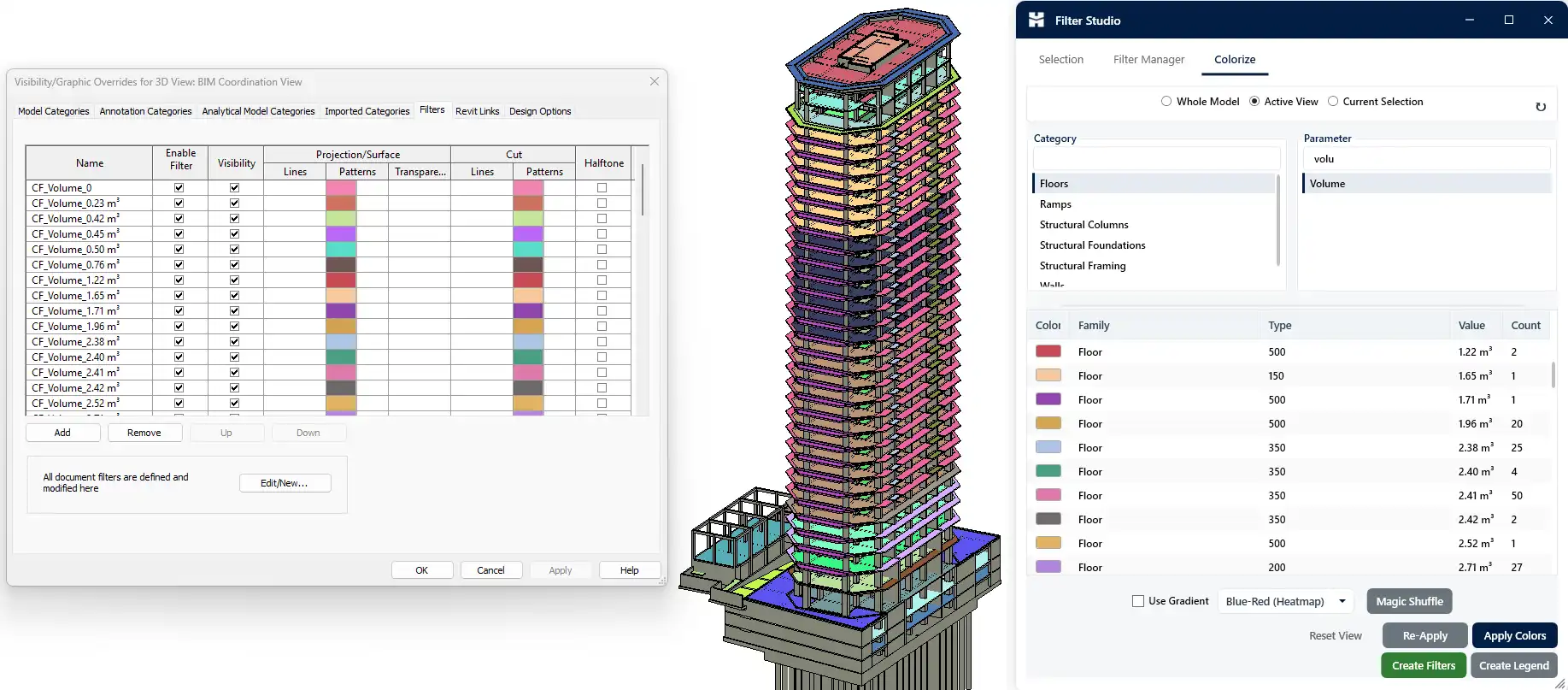
The suite also includes tools for surface area calculations, rebar numbering, and rebar visibility, which are essential for structural engineers working within Revit. These features ensure that all aspects of the design process are covered, allowing users to focus on innovation rather than repetitive tasks. The Compass command palette is a unique addition that enables users to launch any command, view, or sheet directly from the keyboard, further enhancing workflow efficiency.
(Image by: HMK Tools)
AI Assistance: Pilot AI Makes Revit Smarter
Perhaps the most groundbreaking aspect of HMK Tools is the integration of the Pilot AI assistant. This powerful AI tool works directly within Revit, providing users with real-time assistance for over 100 Revit actions. By utilizing a secure local MCP connector, users can connect their own LLM—such as Claude, ChatGPT, Cursor, or Antigravity—to streamline their workflow even further. The Pilot AI assistant can even drive Dynamo, helping users navigate the graph, search the node library (including installed packages), add and wire nodes, write Code Blocks and Python scripts, and read results—all through simple conversation.
By making complex tasks more accessible, Pilot AI enables users to leverage advanced scripting capabilities without needing extensive programming knowledge. This accessibility encourages creativity and innovation, allowing architects and engineers to explore ideas they might otherwise have deemed too complex or time-consuming to implement.
(Image by: HMK Tools)
Summary
In conclusion, HMK Tools for Autodesk® Revit® is an indispensable toolset for architects, engineers, and designers looking to enhance productivity and streamline their workflows. With its extensive range of features—from parameter automation and model quality checks to documentation and AI assistance—HMK Tools empowers users to focus on what truly matters: design and creativity. The plugin not only reduces the burdensome tasks associated with Revit projects but also elevates the overall experience by making complex actions more manageable and intuitive.
If you are looking to unlock your full potential in Revit and take your projects to the next level, HMK Tools is worth exploring. With a positive user experience and a commitment to excellence, this productivity suite is sure to become a vital asset in your architectural toolkit. Embrace the future of BIM with HMK Tools and watch as your workflow transforms, allowing you to deliver exceptional results in less time.
(Image by: HMK Tools)
(Image by: HMK Tools)
Similar apps:
- Free
- Free
- $20/month
- Free
- $20
- Free