
 Watch video on YouTube1 / 11
About this app
Introduction
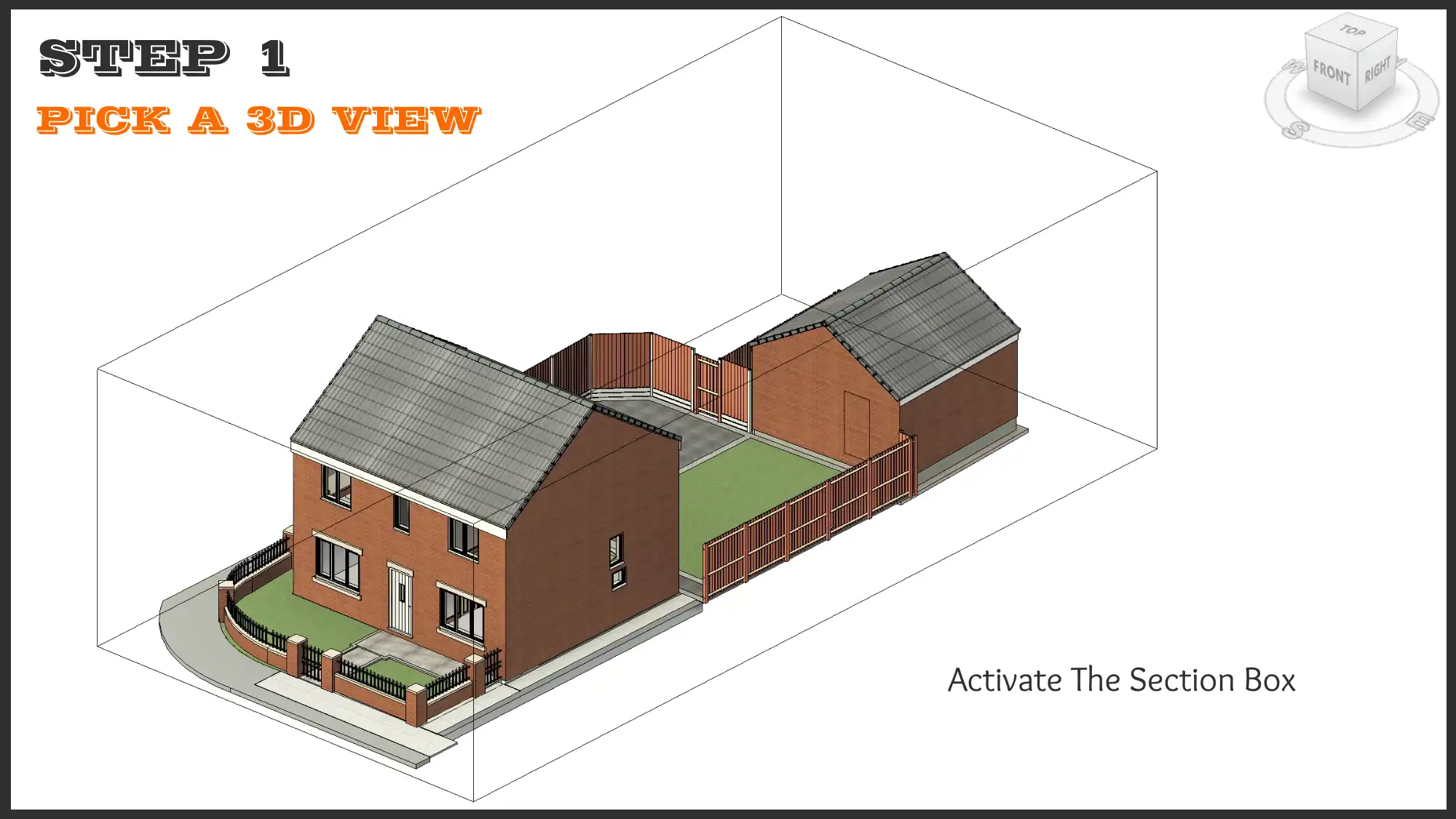
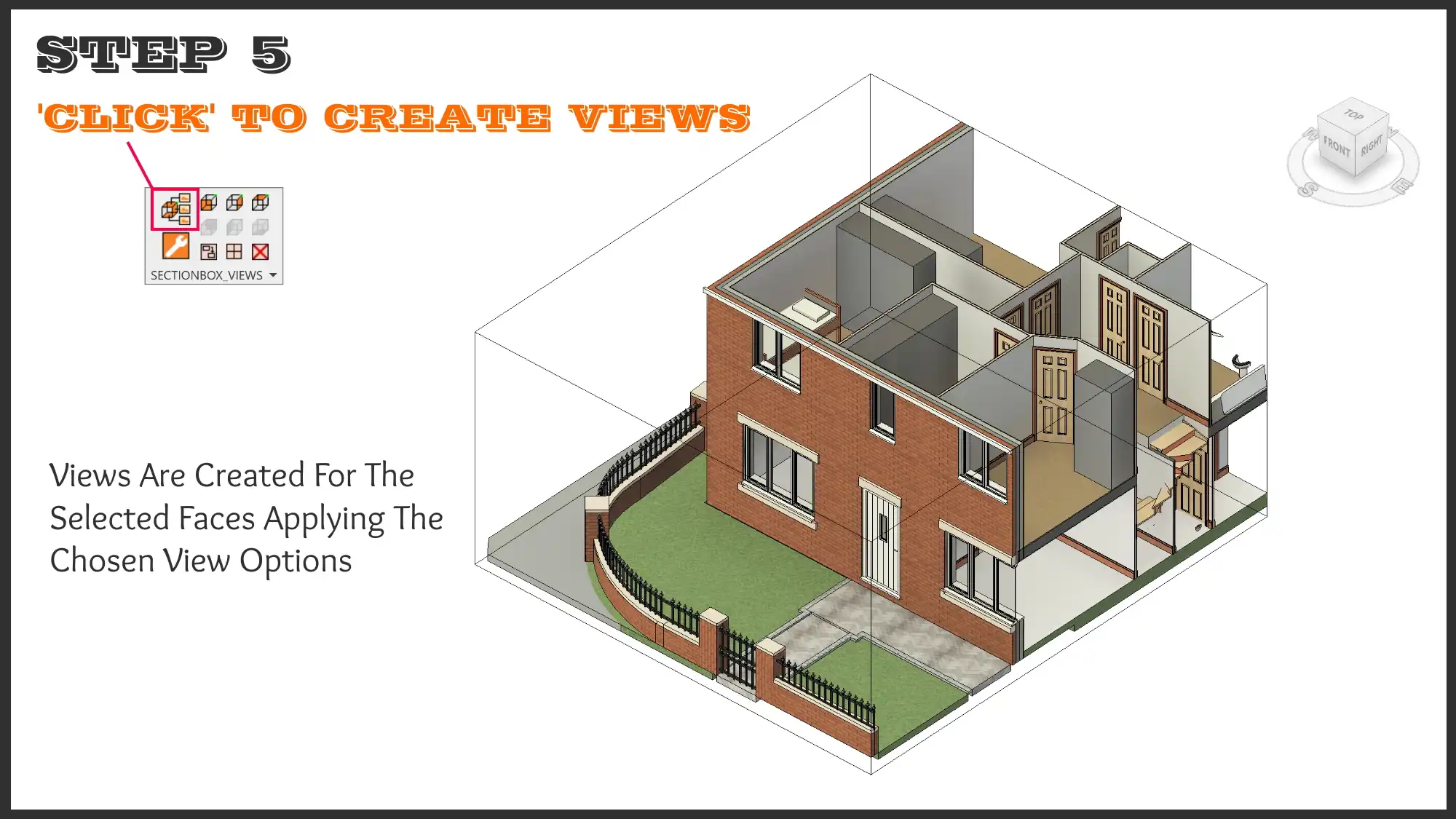
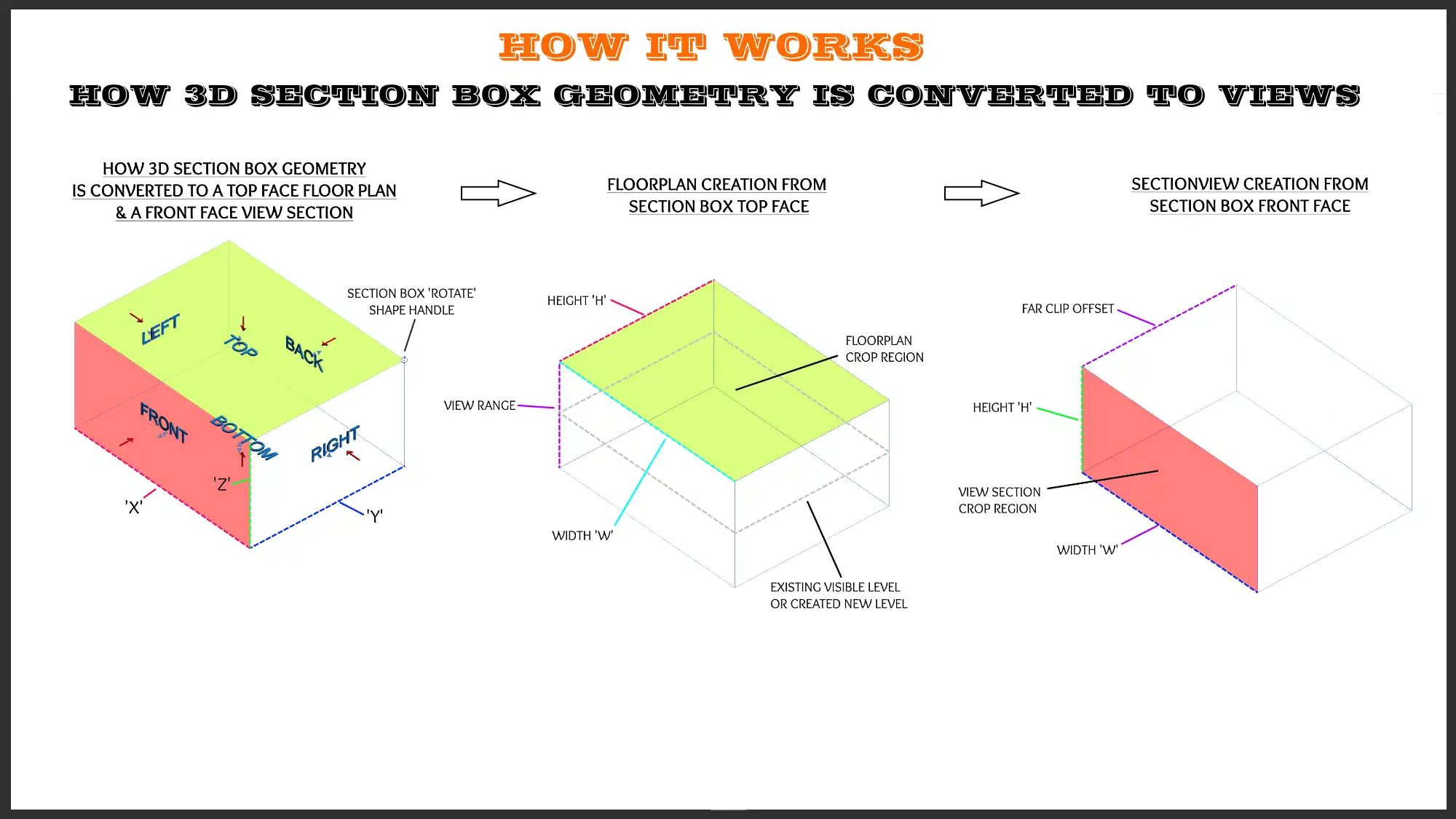
Are you a daily user of Autodesk Revit looking to supercharge your workflow and save valuable time and effort? Look no further than the "I DON'T BELIEVE IT! MAKE VIEWS FROM SECTIONBOX 2026" plugin. This innovative tool allows you to create up to six new views from the faces of a 3D section box with just one click, revolutionizing the way you work in Revit. In this review, we'll take a closer look at the features and benefits of this plugin and explore how it can enhance your productivity and efficiency.
(Image by: RAKING BRACE LTD)
Features of the Plugin
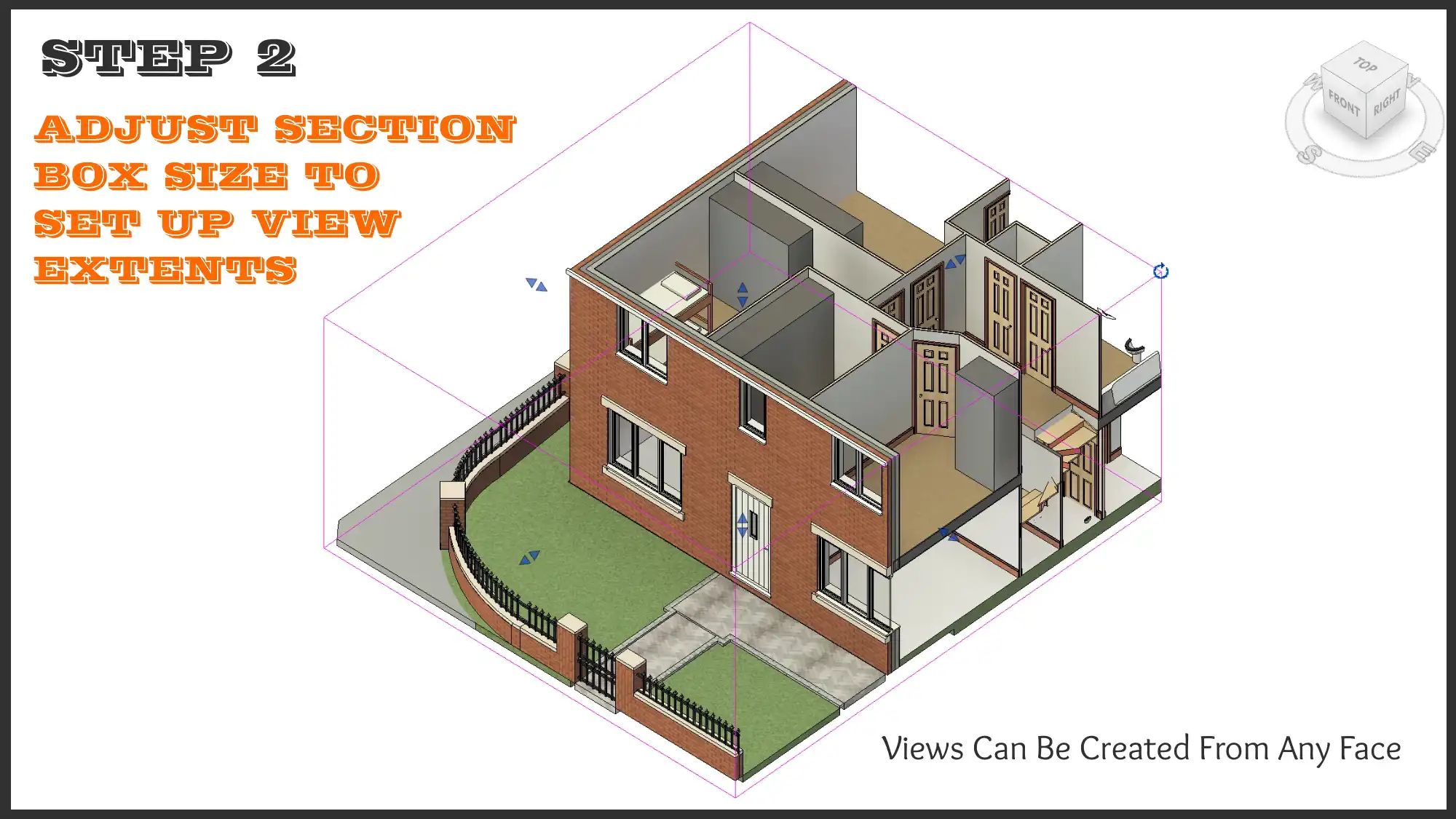
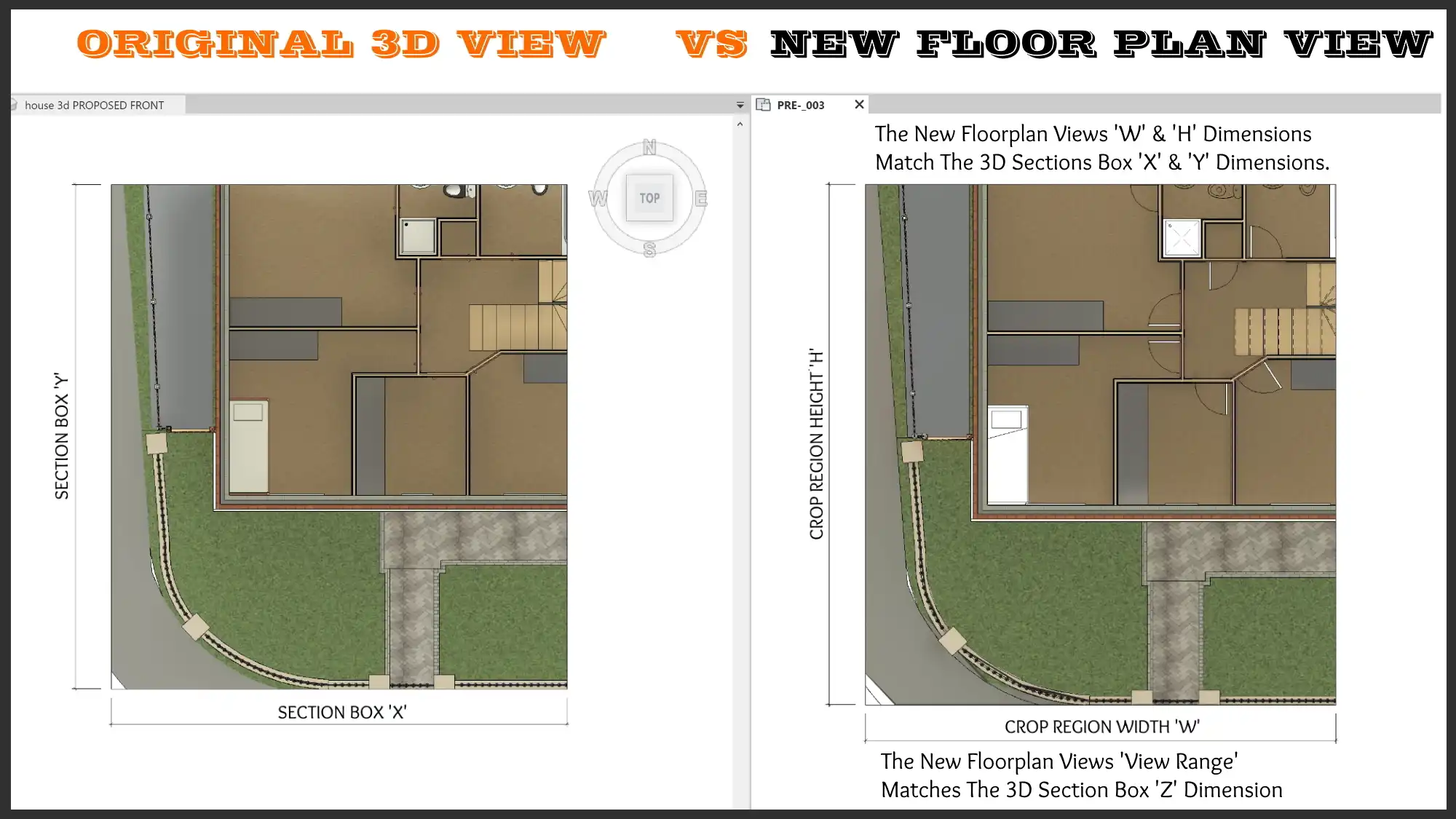
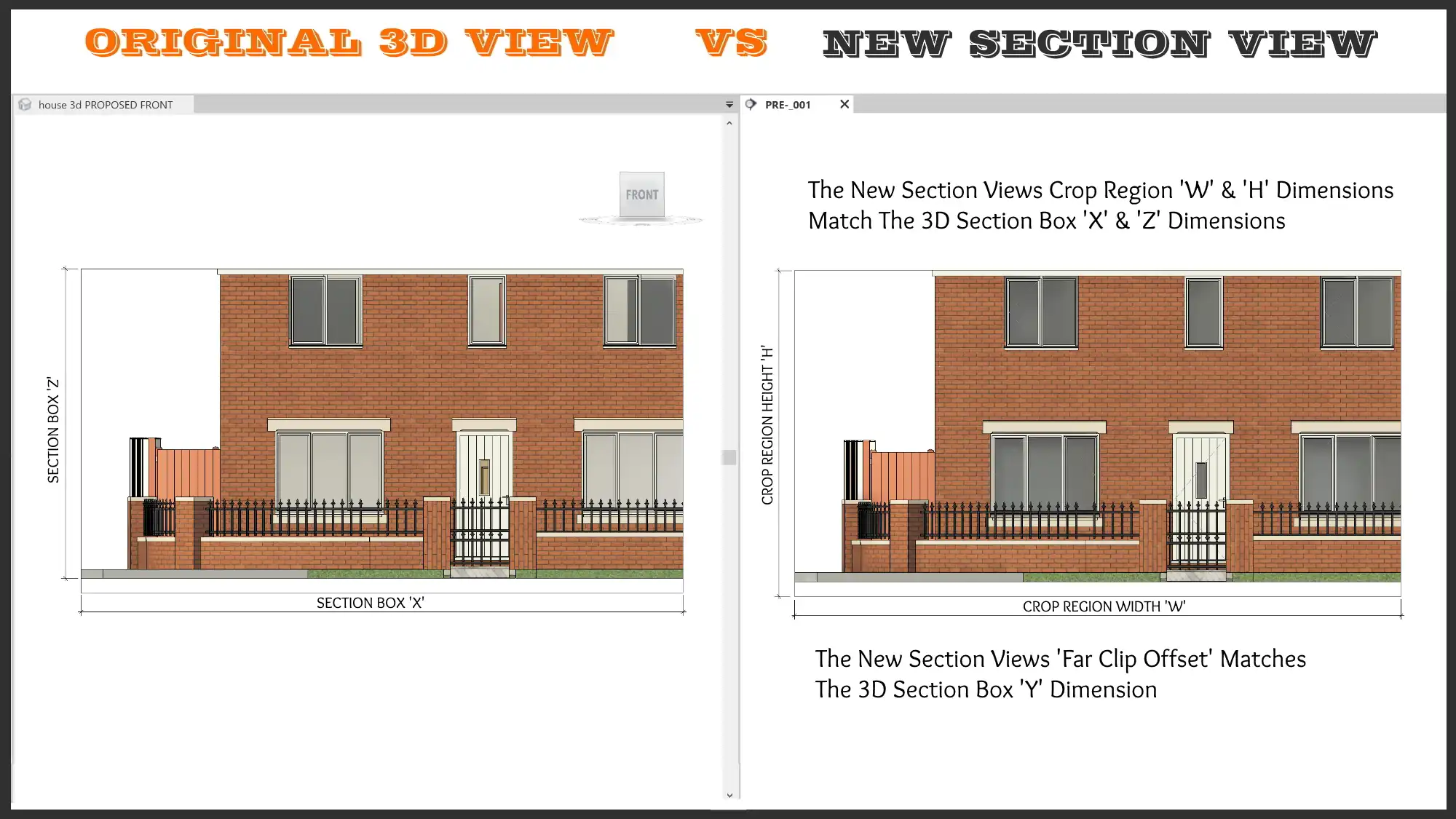
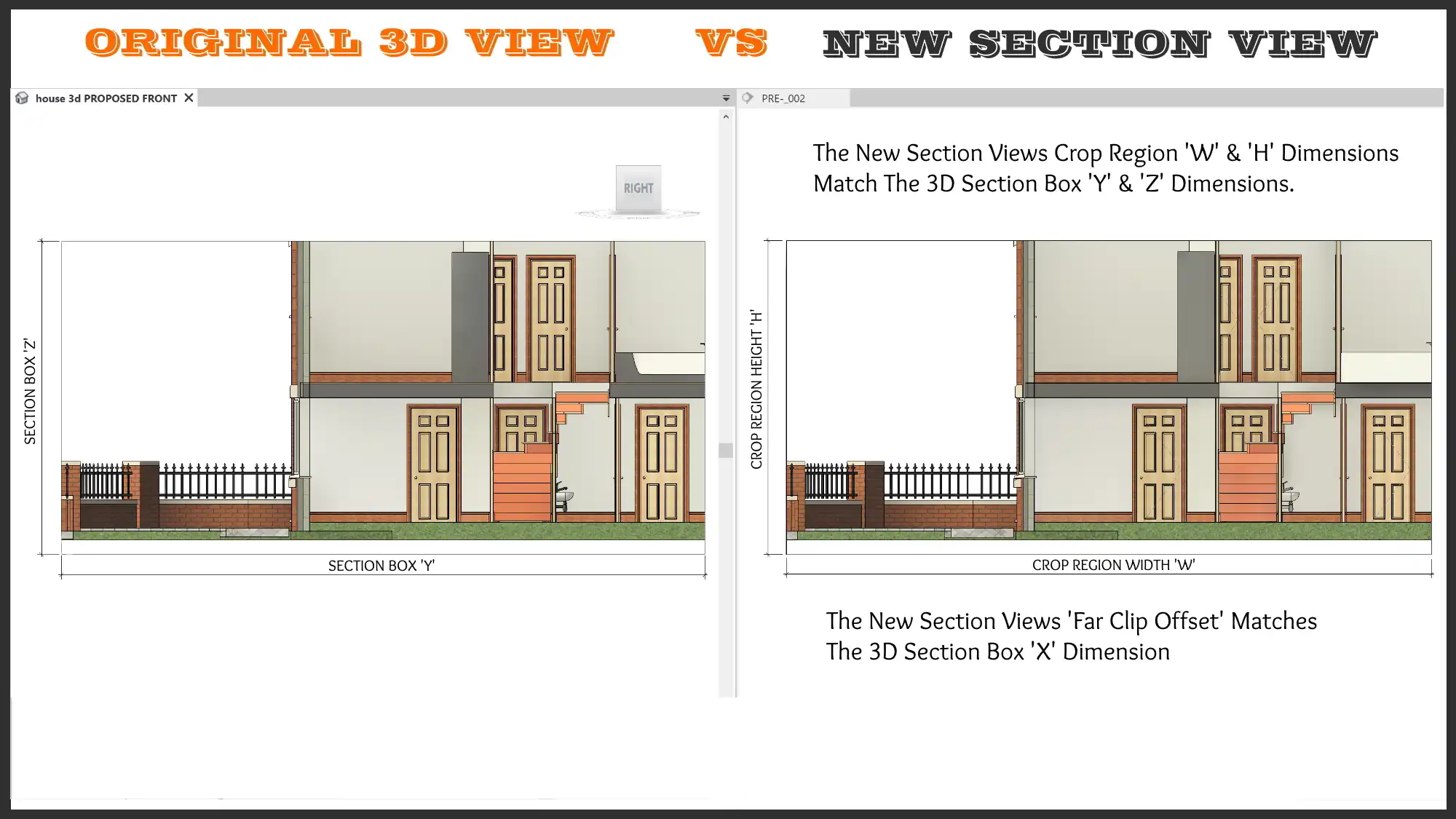
The "I DON'T BELIEVE IT! MAKE VIEWS FROM SECTIONBOX 2026" plugin is designed for all Revit users, regardless of discipline. Its main function is to create new views from the faces of a 3D section box, allowing you to generate section views, floor plans, and reflected ceiling plans with ease. Here are some key features of the plugin:
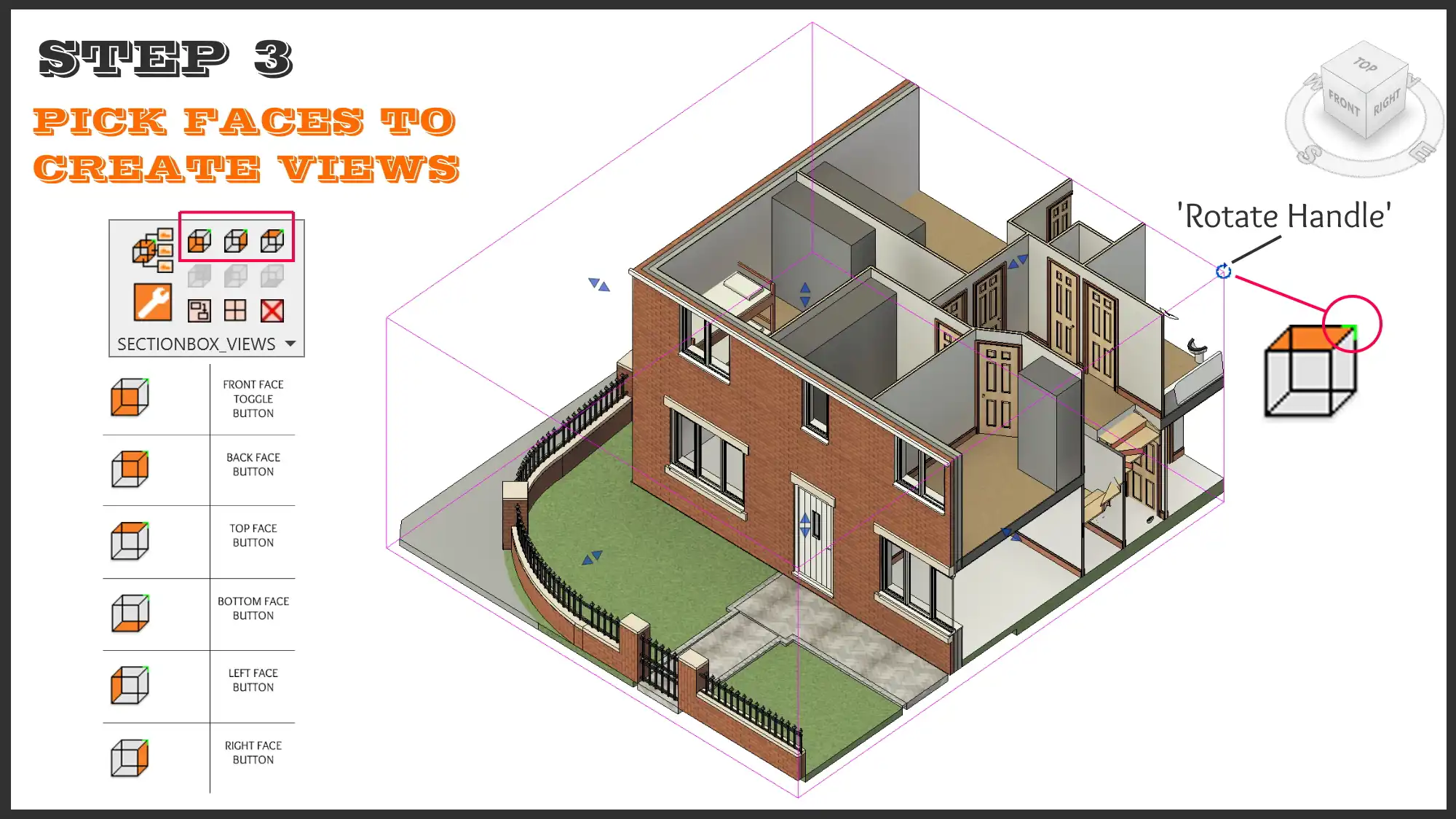
- Create up to six new views from the faces of the 3D section box
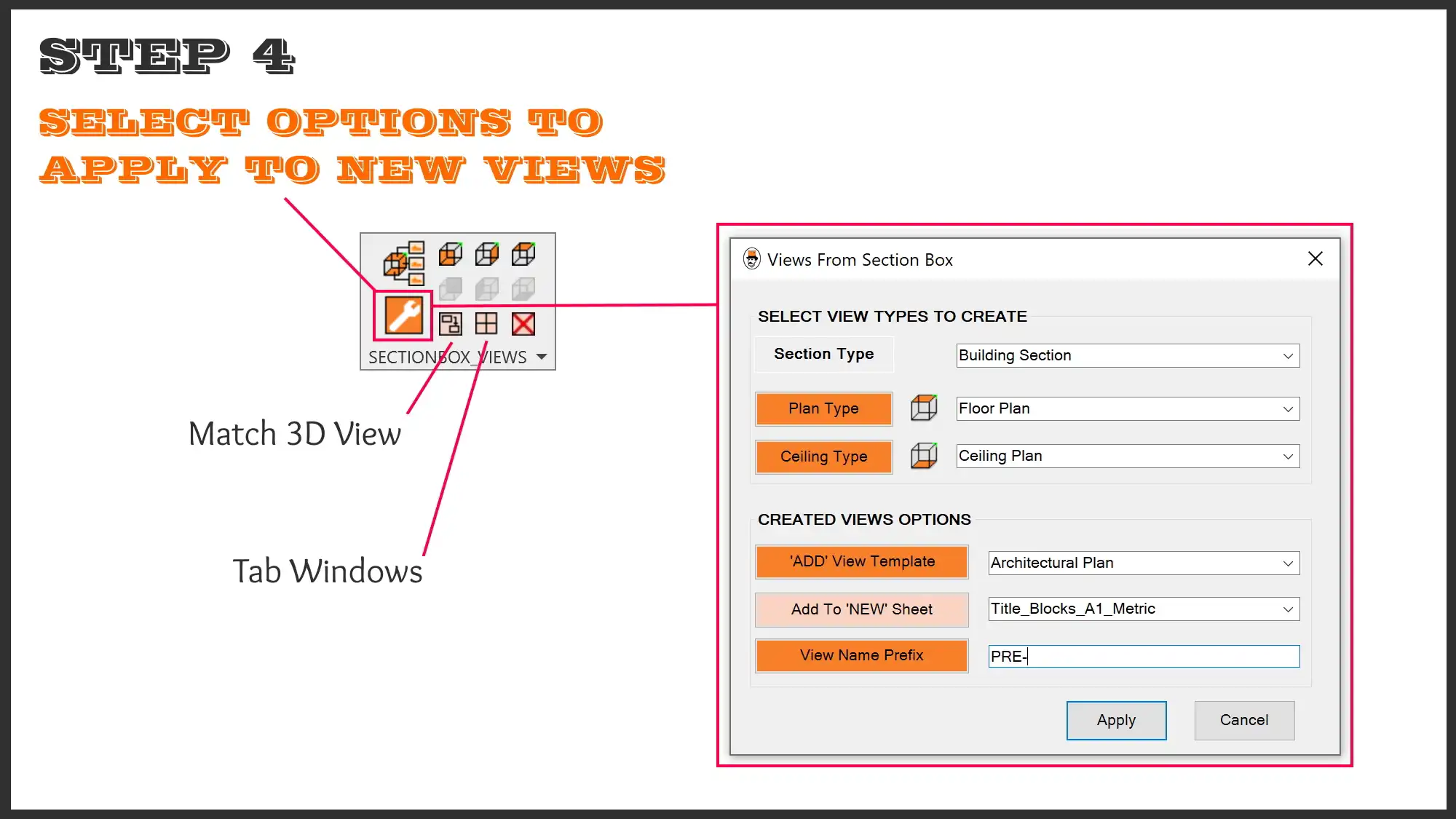
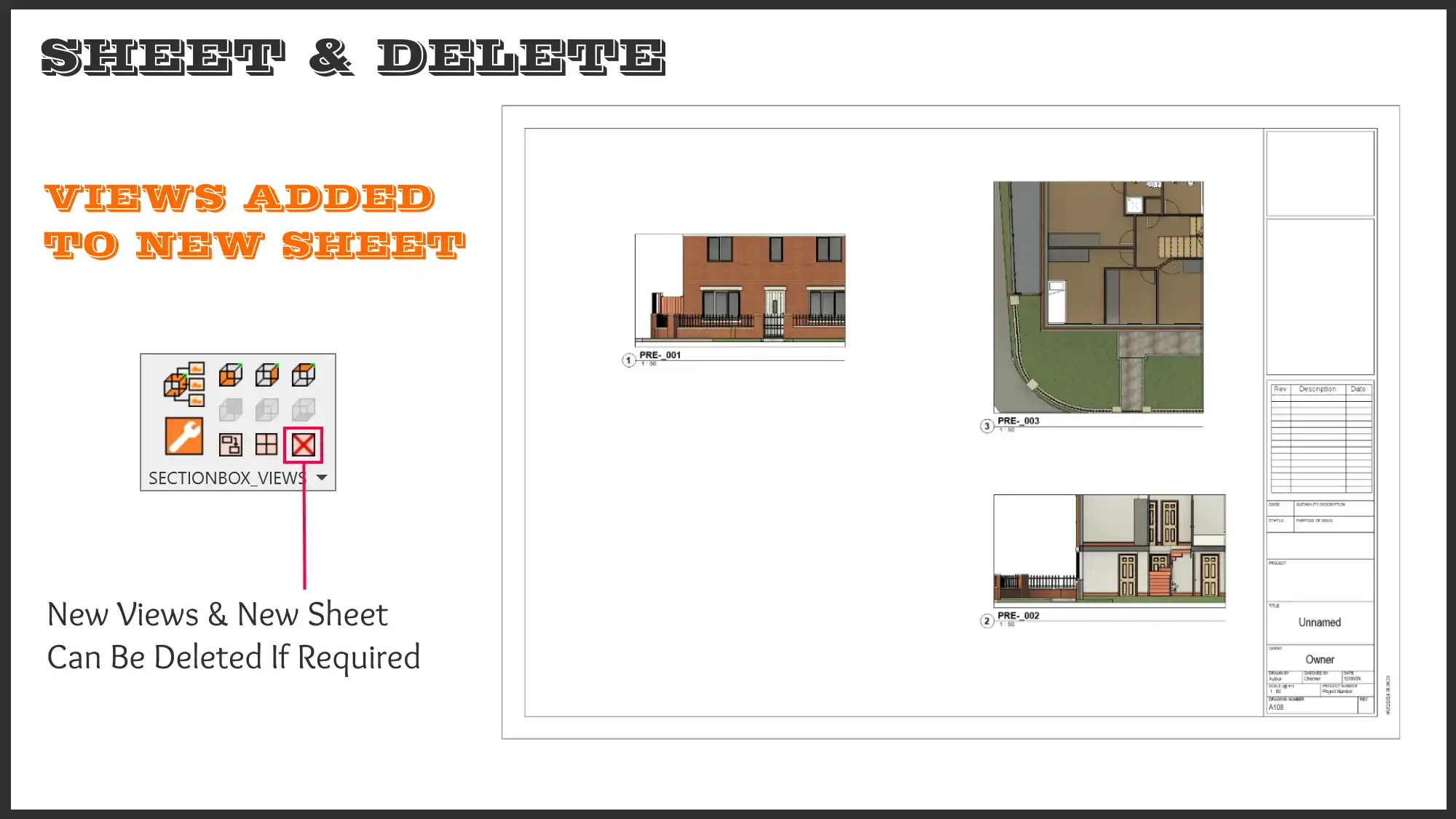
- Add views to new or existing sheets
- Select section type, floorplan type, or ceiling type
- Match the 3D view's look exactly
- Apply view templates to the new views
- Add a prefix to the new view name
- Delete the latest set of newly created views and sheets
(Image by: RAKING BRACE LTD)
Benefits of Using the Plugin
By utilizing the "I DON'T BELIEVE IT! MAKE VIEWS FROM SECTIONBOX 2026" plugin, you can enjoy a wide range of benefits that will enhance your Revit workflow and improve your overall productivity. Some of the key benefits include:
- Efficiency: Save up to 90% 'Mouse Click Saving' on creating six comparable views manually
- WYSIWYG Views: Created views look exactly like what you see in the 3D section box
- No More View Range Struggles: Floor plans and ceiling plans view range is set from the 3D section box extents
- Model Faster: Use temporary views for in-place 3D modelling and point cloud slicing
- Reduce No. Of Working Views: Create temporary views on the fly and delete after use
- Assembly Views: Generate assembly views with ease
- RC Detailing: Create views for structural elements instantly ready for tagging
(Image by: RAKING BRACE LTD)
Conclusion
The "I DON'T BELIEVE IT! MAKE VIEWS FROM SECTIONBOX 2026" plugin is a game-changer for Revit users looking to streamline their workflow and improve their efficiency. With its user-friendly interface and powerful features, this plugin offers a unique solution for creating new views from a 3D section box with just one click. Whether you're a seasoned Revit user or just starting out, this plugin is sure to enhance your modelling experience and save you valuable time and effort. Try it out today and see the difference it can make in your workflow!
(Image by: RAKING BRACE LTD)
(Image by: RAKING BRACE LTD)
(Image by: RAKING BRACE LTD)
(Image by: RAKING BRACE LTD)
(Image by: RAKING BRACE LTD)
(Image by: RAKING BRACE LTD)
(Image by: RAKING BRACE LTD)
Similar apps:
- Free
- $5
- $20
- Free
- Free
- $4.99/month


