 1 / 5
1 / 5About this app
ConsoleApp for Autodesk Revit is a game-changer for developers looking to streamline their debugging process within the Revit environment. This powerful developer console allows users to easily intercept `Console.WriteLine()` output, providing real-time insight into their add-ins without the need for external log files or attaching a debugger.
Real-time Interception
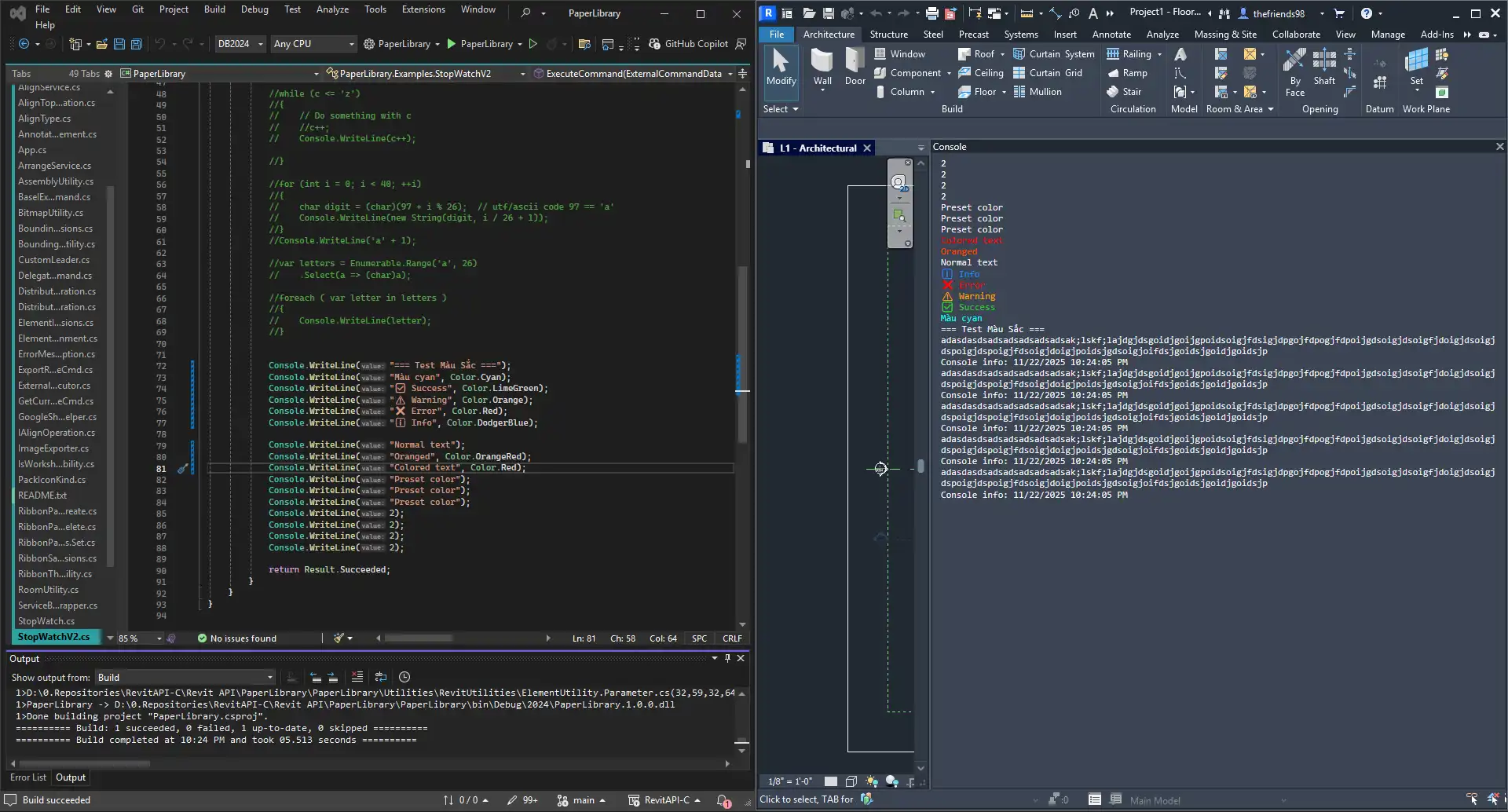
One of the standout features of ConsoleApp is its ability to automatically capture all `Console.WriteLine()` and `Console.Error.WriteLine()` streams. This means that users can see exactly what is happening within their add-ins as it happens, allowing for quick identification and resolution of any issues. The real-time interception provided by ConsoleApp is invaluable for developers looking to efficiently debug their code without the hassle of traditional debugging methods.
(Image by: Paper Engineer)
Dockable WPF Pane
ConsoleApp provides a dockable WPF pane that integrates seamlessly into the Revit workspace. The clean and modern UI of the pane makes it easy to navigate and use, ensuring a smooth debugging experience. Users can dock the pane anywhere within their workspace, allowing them to keep a close eye on their add-ins while working within Revit.
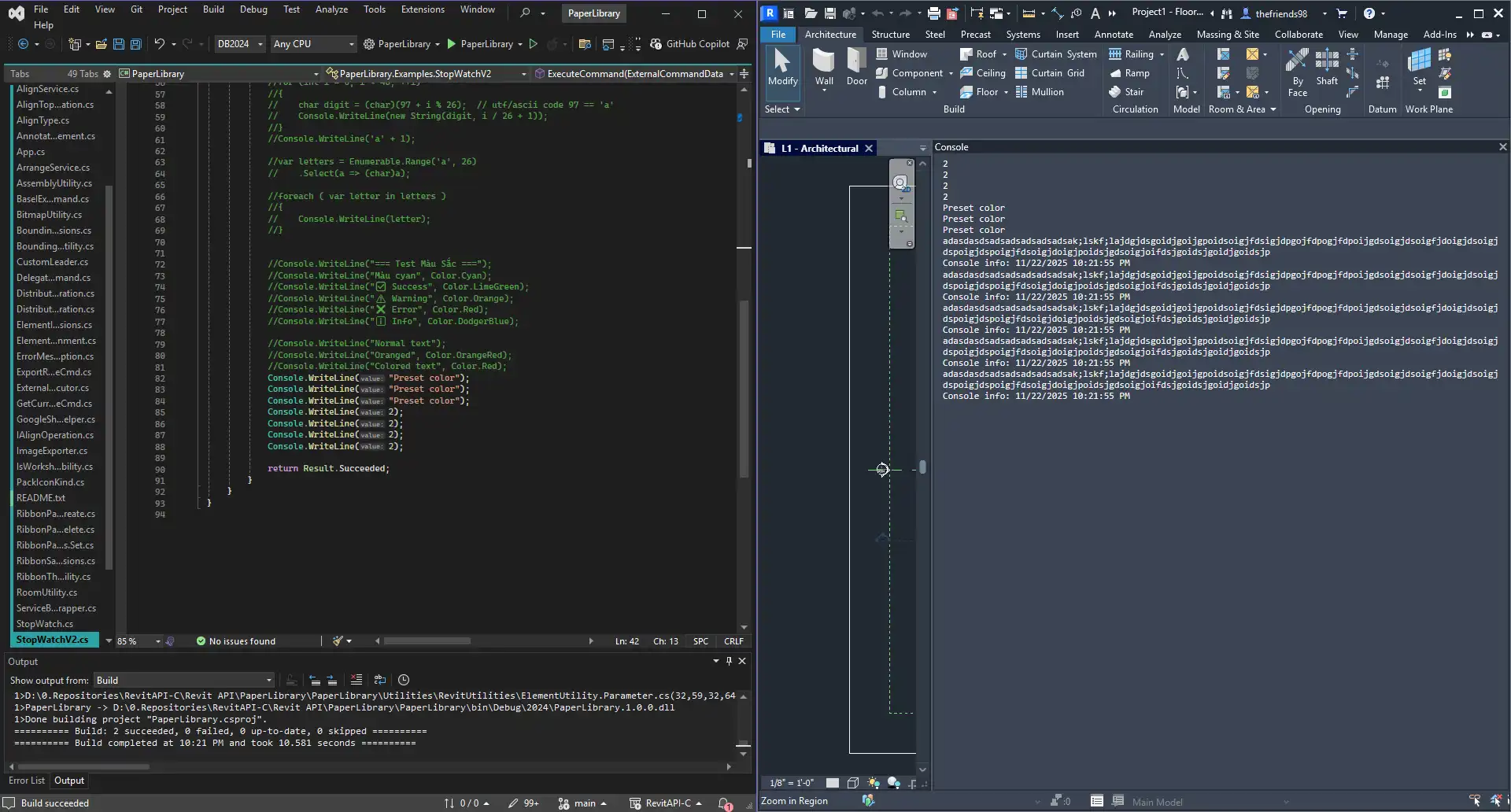
(Image by: Paper Engineer)
Theme Aware and Auto-Shortcut
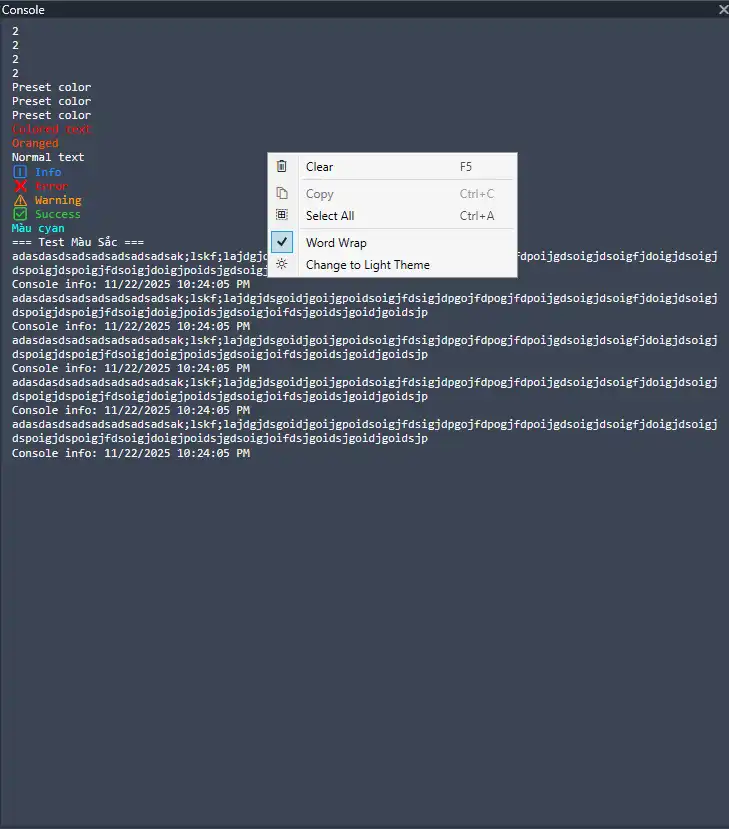
ConsoleApp automatically detects and switches between Revit's Light and Dark themes based on user settings, ensuring optimal visibility and readability. Additionally, the app assigns the `CW` keyboard shortcut on first launch (if available), providing users with quick and convenient access to the developer console. These thoughtful features enhance the overall user experience and make ConsoleApp a user-friendly tool for developers.
The built-in context menu of ConsoleApp includes essential functions such as "Clear", "Copy", and "Select All", making log management a breeze. Users can easily manage their log output with just a few clicks, improving efficiency and productivity during the debugging process.
(Image by: Paper Engineer)
Conclusion
ConsoleApp for Autodesk Revit is a must-have tool for developers looking to streamline their debugging process and enhance their productivity within the Revit environment. With its real-time interception capabilities, dockable WPF pane, theme awareness, auto-shortcut feature, and built-in context menu, ConsoleApp offers a comprehensive solution for debugging add-ins in Revit. The app's user-friendly interface and powerful functionality make it a valuable addition to any developer's toolkit. Try ConsoleApp today and experience the difference it can make in your development workflow.
(Image by: Paper Engineer)
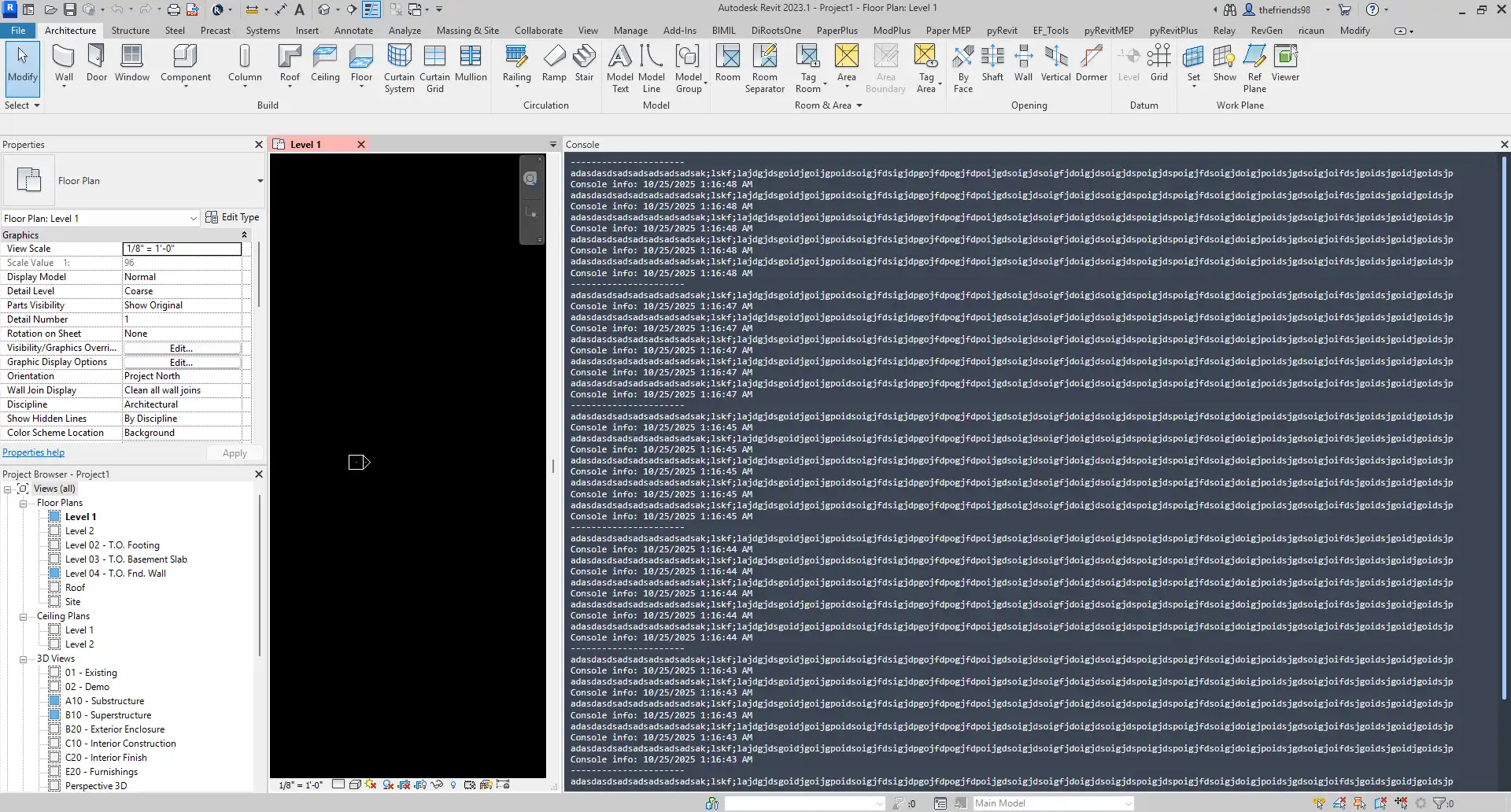
(Image by: Paper Engineer)
Similar apps:
- Free
- Free
- $10/month
- Free
- Free
- Free